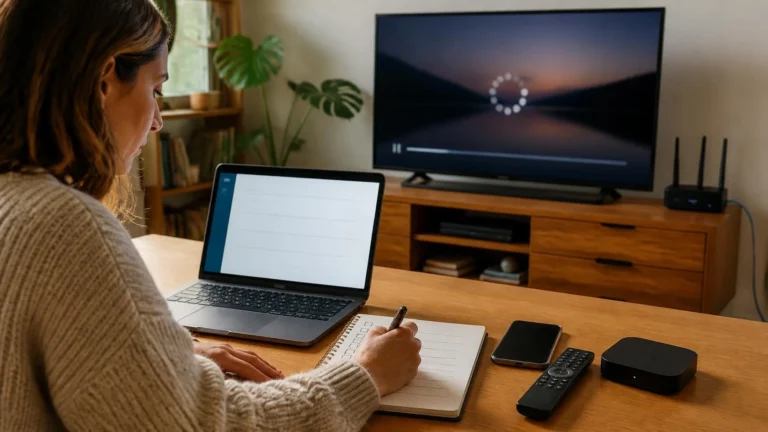

How to Ask a Good Streaming Question and Get a Useful Answer
By Leo · Last reviewed October 2026
Learning how to ask a good streaming question changes the answers you get. A clear question saves hours of back-and-forth, while a vague one collects guesses. Technical knowledge is optional. What matters is a clear description of what you saw, what you expected, and what you already checked.
The quality of the answer usually matches the quality of the question. The person reading your post was not in the room when the problem happened, so your description is the entire scene. This guide shows how to write a question that gives them enough to actually help.
Start with the actual question
The first step is to decide what you want to know. A question such as “Why is streaming bad?” gives readers very little to work with, because streaming covers too many different situations.
A more useful question names the exact thing you want explained. It could be a video that becomes blurry a few minutes after playback starts. It could be an app error you do not understand, or a feature that stopped working after a settings change.
You do not need to know the cause before you post. Guessing at the cause can push readers toward the wrong answer. Describe what you see on screen and let the discussion work from there.
Write a specific title
The title should tell readers what the question is about before they open the post. Stack Overflow’s question-writing guidance recommends titles that summarize the specific problem and add the unusual details that separate it from similar questions. That advice fits a streaming community too.
A title like “Streaming problem” tells readers nothing. “Video turns blurry after a few minutes on my Smart TV” names the symptom, the timing, and the device. “App issue” could mean anything. “One streaming app closes every time I start a video on my phone” points at one app, one action, and one device.
Keep the title to one problem. If you have several unrelated questions, post them separately instead of packing them into one long thread.
Explain what happened
After the title, describe the situation in plain language. Start with what you were trying to do, then say what happened instead.
You might write that you opened a certain app, picked a video, and saw playback behave differently than you expected. Then add whether it happens every time or only in certain conditions.
This context matters because “it does not work” covers too many outcomes. A video that never starts is a different problem from one that starts and stops later. An app that crashes is different from an app that plays with poor picture quality.
You do not need to write a technical report. A few precise sentences usually beat a long description full of guesses.
Include the details that could change the answer
Knowing how to ask a good streaming question also means knowing which details matter. Start with your device and the app or service. Then say whether the issue hits one title or many, and whether it happens every time. Add your connection type, the exact error message, what changed before it started, and what you already tried.
Name the device type: Smart TV, phone, tablet, computer, or streaming stick. Add the model or software version when the question involves a specific feature.
You do not need every detail in every post. Include the ones that help a stranger separate real clues from background noise.
Use exact error messages
When a service shows an error, copy its wording exactly. Do not swap it for a vague summary like “some network error” when you have the real text in front of you.
Exact wording separates one problem from another. It also lets future readers find your question when they search for the same message.
Include any error code that appears. Keep the surrounding text when it adds context, and strip out anything private before posting.
Do not share passwords or private account information
A community question should explain the problem without exposing your account. Leave out passwords, verification codes, recovery codes, and payment details every time you post.
Google’s account-security guidance warns never to share passwords or verification codes, and to treat unexpected requests for them as suspicious. Check any screenshot for email addresses, account identifiers, or payment details, and crop or hide them before uploading.
Nobody in the community needs access to your account to answer a good question. When a fix truly needs account-specific help, use the service’s official support channel instead of posting details publicly.
Say what you already tried
Tell readers what you already tested, especially any step that changed the result. A restart might have done nothing, while switching devices or connections might have changed the outcome.
Listing the checks you ran stops people from suggesting them again. It also gives the discussion a cleaner starting point, so keep the relevant steps and skip the unrelated ones.
Describe what happens on another device when relevant
A comparison earns its place when the same service runs on more than one device. A video that plays on your phone but not your TV is worth mentioning, because that gap changes the whole picture.
The same goes for two devices on one network behaving differently. You do not need to test everything you own. One sharp comparison gives readers something concrete to work with, even though it does not prove where the fault sits.
Separate what you know from what you suspect
A strong question keeps observation and interpretation apart. “I see an error after I select a video” is an observation. “My DNS is broken” is a conclusion that still needs evidence.
The first sentence hands readers something solid. The second might turn out right, but it still steers everyone toward one assumption. Describe the symptoms first and let readers weigh the explanations themselves.
Mention when the problem started
Timing adds context that descriptions alone cannot. Say whether the issue began today, after an app update, after a settings change, after moving the device, or out of nowhere.
You rarely need an exact date. A short note about what changed right before the problem appeared is usually enough.
When nothing changed, say that plainly. “It started with no change I can identify” beats silence about timing.
Explain whether the problem is consistent
Say whether the problem strikes every time or only sometimes. An issue on every video is a different problem from one that hits a single title, and a glitch at the same hour each evening differs from one that appears at random.
Neither pattern reveals the cause by itself. Each one still gives the community a sharper picture of the behavior.
Use screenshots carefully
A screenshot helps when the visual state is hard to describe: an error dialog, a settings screen, a strange message. Treat it as backup for your written description and keep the key text in the post itself, especially error messages.
Give the image one last look for private details before uploading. The privacy rule from the earlier section applies here too: nothing personal should go public.
Avoid turning the question into a list of guesses
A frequent mistake is naming every possible cause and asking readers to pick one. A post that blames the DNS, the Wi-Fi, the router, the app, the device, and the service in one breath hands the discussion six assumptions at once.
Describe the evidence instead and let the people answering decide which possibilities deserve attention. A question built on evidence is also easier to update when new facts arrive.
Search before posting, but do not stop there
Search the community and the site before you post. You might find your answer immediately, and you will at least avoid starting a duplicate thread.
When a related question exists but does not match your case, say exactly how yours differs. Stack Overflow’s guidance makes the same point: check existing questions and explain why their answers do not solve your specific problem.
The point is sharper questions, not fewer questions. Each new post should be specific enough to add something the archive lacks.
Ask one clear question at a time
Three unrelated problems deserve three focused questions, wherever the format allows it. A Smart TV app that crashes, a question about HDR, and a billing issue are three different subjects sharing one post.
Splitting them keeps each thread readable and answerable. It also leaves a cleaner reference for the next reader with the same single issue.
Follow up with new information
A question does not expire when the first answer lands. When you uncover a new detail, test a suggestion, or watch the problem change shape, add it to the thread.
A short update beats a brand-new post. When an answer works, name it. When nothing works, say that too. The next reader deserves a finished story.
Do not treat one person’s experience as universal
Community answers usually start with someone’s own setup, and that firsthand detail has real value. One setup still does not speak for every device, service, network, region, or account.
Present your experience as yours, and keep untested assumptions out of the language of general fact. Supported features and behavior can shift with device, software version, title, and region.
How to ask a good streaming question: a simple structure to follow
When you are unsure where to begin, walk through the same order every time. Start with what you were trying to do and what happened instead. Name the device and the service, then pin down when the problem started and whether it happens consistently. List what you already tried and quote any exact error word for word. Finish with any last detail that could change the answer.
You can skip any step that does not apply. The structure exists to catch the important detail you almost forgot.
What makes a community question worth answering?
The best questions are rarely the longest. They give the reader a clear picture of the situation and make the actual ask impossible to miss.
A short question can be excellent when the problem is sharply described. A long one can still flop when it buries the point under guesses and unrelated detail.
Picture the person reading your post. They never saw the glitch happen, so every useful detail has to come from your words.
How StreamingCommunity handles community content
StreamingCommunity exists so people can discuss streaming technology and trade real experiences. Those contributions can surface knowledge no single editorial article covers, which is exactly why they need steady moderation.
Google holds publishers responsible for user-generated content on pages that carry ads. Its AdSense guidance recommends publishing a content policy and reviewing UGC pages on a routine basis.
Questions here should stick to legitimate streaming use, keep private account details out, and follow the site’s Community Guidelines. Read the Community Guidelines before posting, and use the Contact page if you need to flag an issue with anything on the site.
Editorial and source note
This article covers communication inside a streaming community. It does not diagnose any specific streaming fault.
Its question-writing advice draws on Stack Overflow’s public guidance for asking good questions. Its notes on moderation reflect Google’s AdSense guidance for publishers that carry user-generated content. The advice on passwords and verification codes follows Google’s account-security recommendations.
Final thoughts
Once you know how to ask a good streaming question, the method stays simple. Say what you were trying to do. Describe what happened. Include the details that matter, and keep your observations separate from your theories.
A useful question hands the next person a clear starting point. It also leaves a cleaner trail for every reader who lands on the thread later with the same problem.