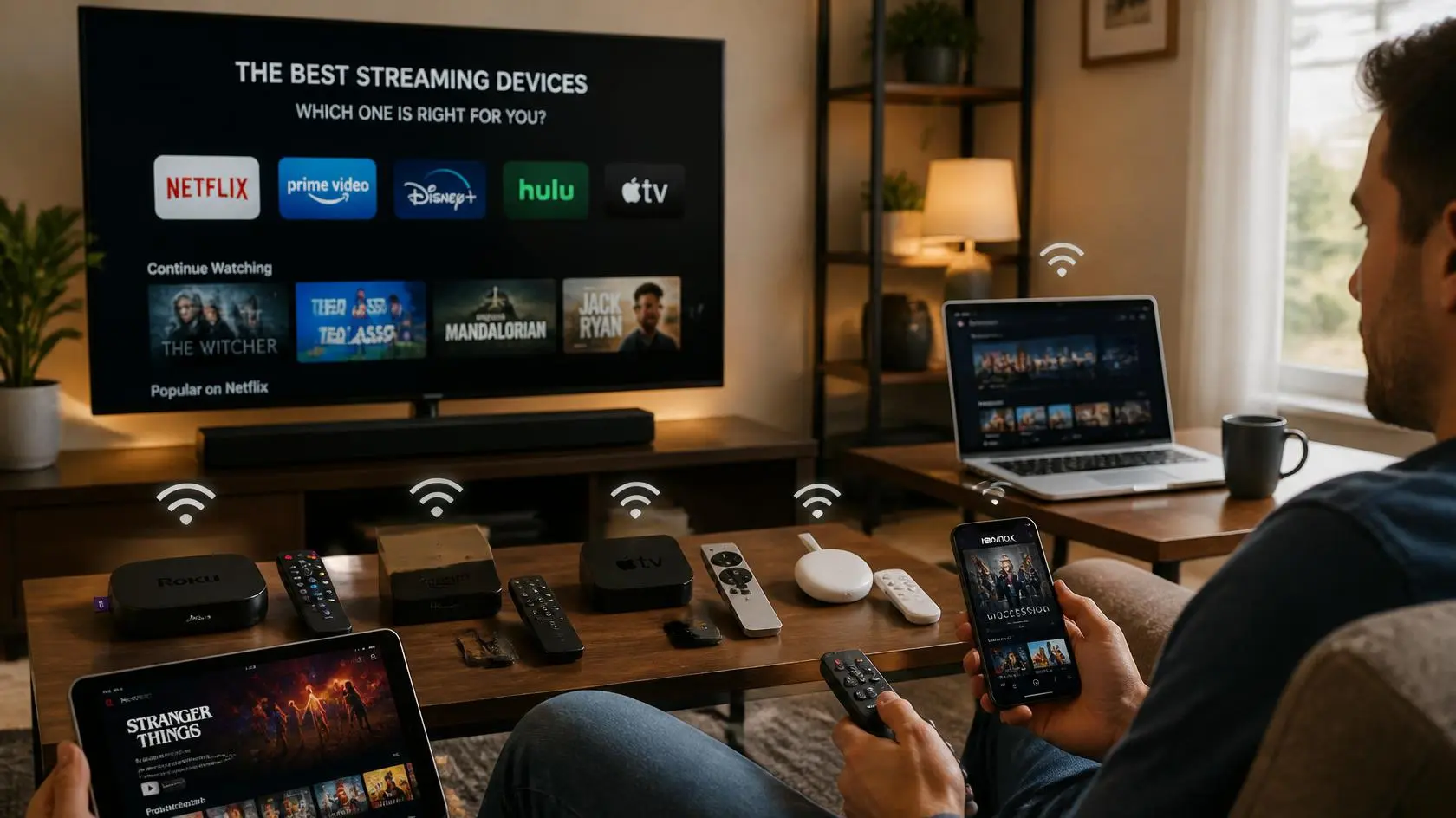
Streaming Devices Compared: Smart TVs, Sticks, Boxes, PCs & Mobile
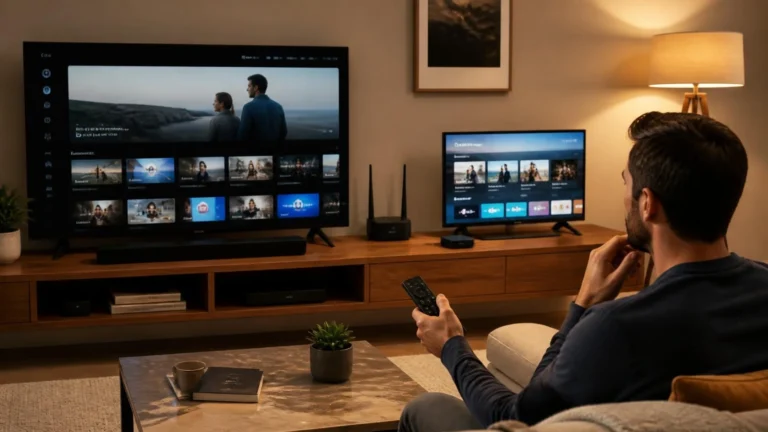
This streaming devices comparison starts from a simple premise: choosing a device isn’t simply a matter of looking for the highest specification. A Smart TV, streaming stick, streaming box, computer, phone, and tablet can all play video, but they’re built for different situations.
The most useful streaming devices comparison starts with how each device actually gets used, not with a spec sheet.
A television is often the easiest choice for a living room. A streaming stick can add a separate platform to an existing TV. A computer gives you more control over software and displays. A phone works well when you’re away from home, while a tablet sits somewhere between mobile viewing and a larger-screen setup.
There’s no single device configuration that suits every viewer. The right choice comes down to the screen, network, audio equipment, portability, applications, and how much control you want over the setup.
Why Compare Streaming Devices?
Streaming devices get grouped together because they perform the same basic task: they provide a way to watch internet-delivered video. Their actual role in your setup, though, can look very different.
A Smart TV combines the display and streaming platform in one product. A streaming stick or box normally relies on a separate television. A computer functions as both a playback device and a general-purpose machine, while mobile devices prioritize portability above everything else.
That’s why specifications should be read in context rather than compared directly. A powerful computer may offer more flexibility than a dedicated streaming device, but that flexibility usually comes with more configuration to manage. A Smart TV needs less equipment overall, but its built-in software environment can be more limited than a computer’s.
A useful streaming devices comparison looks at differences like these instead of treating every device as interchangeable.
Smart TVs
A Smart TV combines a television display with an operating system and applications, which makes it one of the simplest arrangements for watching streaming services. The screen and playback platform are already integrated, so there’s no need to connect a separate device merely to display the video.
A Smart TV can also provide HDMI inputs for external equipment, allowing the same television to work with other sources when needed. The HDMI Forum publishes the specification that governs what those ports can actually carry, which is worth knowing if you’re mixing a Smart TV with outside hardware later.
Where Smart TVs fit well
Smart TVs make the most sense when the television is the main place you watch video. They’re particularly practical for a living-room setup where you want the fewest separate devices possible, since the built-in platform handles the streaming app while the TV handles the display and usually the speakers.
The trade-off shows up in the software: it depends entirely on the television platform and model. Applications, interfaces, updates, and supported features can all vary from one brand to the next, which is one of the most important points in any streaming devices comparison, since the screen and software are effectively sold as a single product.
Streaming Sticks
A streaming stick is a small external device that connects to a compatible television. Instead of relying entirely on the TV’s built-in software, the stick provides its own streaming platform, creating a different arrangement entirely:
Internet connection → Streaming stick → HDMI → Television
The television remains the display, while the stick handles the streaming environment. That makes a stick useful when you want to add or replace the software platform without replacing the television itself.
What makes a streaming stick different?
Its main characteristic is separation. The display and playback device are independent, so if the television gets replaced later, the streaming stick can potentially move to the new TV if it stays compatible.
That separation can also simplify things when a TV’s built-in platform no longer meets what you need. The catch is that a stick adds another device, another remote, another power requirement in most setups, and another software environment to keep updated.
Streaming Boxes
A streaming box plays a similar role to a streaming stick but uses a separate box-style form factor. The physical design can leave more room for connections and placement options, depending on the specific device.
A typical setup looks like this:
Network → Streaming box → HDMI → Television
The television provides the screen while the box provides the playback platform. For a more permanent living-room setup, this arrangement keeps the streaming hardware separate from the television itself.
The form factor alone doesn’t determine better video. Actual capability depends on the specific device, its software, supported formats, network connection, and the television it’s paired with.
PCs and Desktop Computers
A computer introduces a genuinely different streaming environment. Rather than existing primarily as a television playback system, a PC is a general-purpose machine that also happens to play video well.
That gives you more flexibility around browsers and apps, multiple displays, external audio, keyboard and mouse input, wired network connections, display configuration, and everything else you do at a desktop. That flexibility earns its keep when streaming is only one part of what the machine does for you.
A computer can also connect to a television, turning it into the source for a much larger screen. The downside is more configuration than a dedicated streaming device typically needs: display settings, audio output, browser behavior, operating system settings, and connected hardware all become part of the viewing environment you’re managing.
Laptops
A laptop sits in a useful middle position between desktop computers and mobile devices. It offers a larger built-in screen than a phone while staying portable enough to move between a desk, another room, or a trip, as long as the network and power situation cooperates.
It can also connect to an external monitor or television. For people who already own a laptop, there’s often little reason to buy separate streaming hardware just for basic viewing.
The one thing worth remembering is that a laptop is built for many purposes at once. Its streaming experience rides on the operating system, the browser or app you’re using, the display, the audio system, and the network, all at the same time.
Phones
Phones prioritize portability above everything else. They’re useful when you’re away from a fixed television or computer and want streaming apps available on a small device that fits in a pocket.
A phone can typically use Wi-Fi or mobile data, which makes it less tied to a home network than any other device on this list. That convenience comes with real limitations, though: a smaller screen, battery capacity that can’t match mains-powered equipment, and mobile data that’s often capped by your plan.
A phone isn’t really about building a permanent viewing station. It’s about having a playback device available almost anywhere a decent connection exists.
Tablets
Tablets offer a larger screen than phones while keeping much of the portability that makes mobile devices useful in the first place. They work well in places where hauling a laptop would be overkill.
A tablet can also handle longer viewing sessions more comfortably than a phone, simply because the bigger screen is easier on the eyes. The trade-off is that it still runs on battery power and a wireless or mobile connection, same as a phone.
For someone who wants one portable device that covers video and general mobile use, a tablet fills a genuinely useful middle ground.
The Importance of the Display
The playback device and the display don’t always have to be the same product, and that distinction matters when you’re comparing options. A Smart TV contains both components in one box. A streaming stick, on the other hand, requires a separate TV to work at all.
A computer can use its own screen or send video to another display. A phone and tablet have integrated displays but can also support certain external display or wireless playback methods, depending on the hardware and software involved.
When you’re weighing a device, ask where you actually want to watch. A device built for a desk doesn’t automatically make sense as your main living-room playback system, and a large television isn’t practical when portability is the priority.
Network Connection
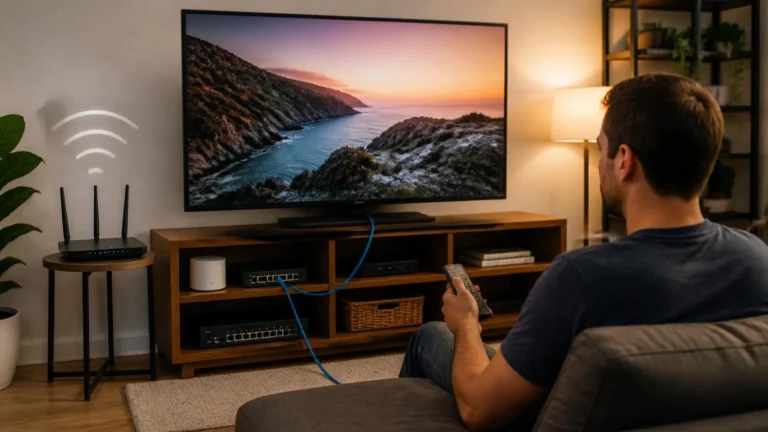
Every internet-based streaming setup depends on a working network connection, though the options vary by device. A Smart TV may support Wi-Fi and, depending on the model, Ethernet. A streaming stick or box usually relies primarily on Wi-Fi, though some offer a wired option too.
A desktop computer can often use Ethernet as well as Wi-Fi. Phones and tablets generally rely on wireless connectivity, with mobile data available on supported cellular models. Equipment carrying the Wi-Fi Alliance’s certification mark has been tested specifically for this kind of cross-device interoperability, which matters more than it sounds once you’re mixing several device types on one network.
The real question isn’t which device offers the most connection options. It’s whether the available connection actually holds up in the place where you’ll use the device. A wired option earns its value in a fixed location, while a wireless-only device stays naturally more flexible.
Audio Considerations
Audio is another difference that’s easy to overlook. A television normally includes built-in speakers, while a computer might route through speakers, headphones, a monitor, or a separate audio device. Phones and tablets carry integrated speakers and support additional audio options depending on the model.
External streaming devices generally send audio through the connected television or another compatible audio system. That’s why the same streaming service can feel noticeably different depending on the full setup around it. If you already own a soundbar or home audio system, check how the device you’re considering actually fits into that arrangement before assuming it will.
Portability Changes the Decision
Portability is one of the clearest lines separating these device categories. A Smart TV stays installed in one location. A streaming stick can move between compatible televisions, though moving it repeatedly isn’t always convenient in practice. A streaming box is usually meant for a more permanent installation.
A desktop computer is technically movable but normally lives as part of a fixed workstation. A laptop, phone, or tablet, on the other hand, is designed to travel with you.
That makes portability an important part of any streaming devices comparison. A technically capable device isn’t especially useful to someone who needs to carry it around on a regular basis.
Built-In vs Separate Streaming Hardware
There are two basic ways to approach a television setup: use the TV’s built-in streaming platform, or connect a separate streaming device.
Built-in apps keep things simple, with fewer physical components and usually fewer remotes cluttering the coffee table. Separate hardware buys you more independence from the TV’s own software platform, which helps when the external device offers a different app environment or you’d rather keep the playback platform separate from the television altogether.
Neither approach is automatically right for every household.
Using a Computer With a Television
A computer can also become part of a TV-based streaming setup. The basic arrangement looks like this:
Computer → HDMI or another compatible display connection → TV
The computer handles the playback environment while the TV acts purely as the display. This opens up a broader desktop environment on the big screen, but it introduces additional settings too, since the computer’s display output, audio routing, resolution, scaling, and operating system behavior all become part of what you’re managing.
For someone who already keeps a computer near the television, this can be a practical setup without buying another dedicated playback device.
When a Dedicated Device Is Simpler
A dedicated streaming device is built specifically around television playback, which tends to make the everyday experience more straightforward than running a general-purpose computer through the TV. There’s no need to manage a desktop, browser tabs, a keyboard, or a mouse just to start a video. The device stays connected to the TV and gets controlled with its intended remote.
The tradeoff is flexibility: a dedicated device does less outside of streaming than a computer does. That’s exactly why the intended use should come before specifications when you’re running a streaming devices comparison.
When a Computer Provides More Flexibility
A computer earns its place when streaming is part of a broader digital workflow. Maybe you want to watch video while running another application, connect several displays, switch between browsers, manage external audio equipment, or bounce between streaming and other tasks throughout the day.
A computer supports all of that because it was never limited to television playback in the first place. More flexibility does mean more possible settings, though. A dedicated device hides most of that complexity from you; a computer exposes more of it, for better or worse.
Think About the Room, Not Just the Device
The physical environment can change which device actually makes sense. A living room with a large TV, a soundbar, and a nearby router looks nothing like a bedroom with a smaller TV. A home office with two monitors is a different problem entirely from a kitchen where a phone might be the more practical choice.
Someone who travels frequently has different needs than someone who watches almost everything from one sofa. The best comparison starts with the viewing environment itself: where the screen will sit, where the network connection comes from, how audio gets handled, and whether the device needs to move with you.
A Practical Way to Compare Your Options
Rather than starting with specifications, look at your actual viewing habits first. If your main priority is watching from a television, start with the TV’s built-in platform and then decide whether an external device adds something you genuinely need.
If you already own a good desktop computer, consider whether connecting it to a larger display solves the problem without buying another playback device. If portability matters more, a phone or tablet may fit better. If the device will stay permanently connected to one TV, a stick or box can give you a cleaner, dedicated setup.
This approach keeps a streaming devices comparison focused on how you actually watch, instead of specifications that may not matter to you at all.
One Useful Checklist
When comparing devices, run through these points before deciding:
- Where will you watch? Decide whether the device belongs in a living room, bedroom, office, or mobile environment.
- What screen will you use? Consider the built-in display or the TV and monitor you already own.
- How will it connect? Check Wi-Fi, Ethernet, HDMI, and other relevant connections.
- Which services do you use? Confirm that the applications you actually need are supported.
- How important is portability? A fixed device and a mobile device solve different problems.
- What audio equipment do you have? Make sure the intended device fits your existing speakers or headphones.
- Do you need flexibility outside streaming? A computer can handle many other tasks, while dedicated devices focus more heavily on media playback.
- How much setup do you want? More components can provide more options but can also create more settings to manage.
What About Streaming Quality?
A device category alone doesn’t determine streaming quality, which is a point worth repeating in any streaming devices comparison. A high-end television can still sit on a poor network connection. A powerful computer can end up connected to an unsuitable display. A phone can deliver excellent playback on a reliable connection, and a streaming box can work perfectly well paired with a compatible television.
The final experience comes from the entire chain, not any single link in it. Content quality, service capabilities, network conditions, device hardware, software, display, and audio equipment all contribute to the result. That’s an important reason not to reduce a streaming devices comparison to processor speed, resolution, or any single spec.
Upgrading an Existing Setup
You don’t necessarily need to replace everything to improve a streaming setup, and that’s often the most overlooked part of any streaming devices comparison. An existing Smart TV can be paired with an external streaming device. An existing computer can connect to a television. A television with acceptable picture quality can pair with better external audio, and a phone or tablet can handle portable viewing without touching the home setup at all.
Thinking in terms of individual components, rather than the whole system, can prevent unnecessary replacement. If the TV display is still good but its software environment no longer meets your needs, replacing only the playback device may be all it takes.
Different Devices Serve Different Roles
A Smart TV is primarily a combined display and playback environment. A streaming stick is a compact external playback device, and a streaming box provides a similar but separate, television-oriented platform. A desktop or laptop offers a general-purpose computing environment that also happens to handle streaming well.
A phone prioritizes portability above all else, while a tablet offers a larger mobile display for when a phone screen feels too small.
These differences matter more than declaring any one category universally superior. A streaming devices comparison should help you understand those roles so you can match the device to how you actually watch.
FAQs About Streaming Devices
Is a Smart TV enough for streaming?
Often, yes, and this is usually the first question any streaming devices comparison should answer. If its built-in apps support the services you use and the network and display meet your needs, an additional device isn’t necessary.
What is the difference between a streaming stick and a streaming box?
Both provide an external streaming platform for a television. The physical design, connections, hardware, and capabilities depend on the specific product.
Can I use a PC instead of a streaming device?
Yes. A PC can play streaming video directly and can also connect to a compatible television or monitor.
Is a phone suitable for streaming?
Yes. Phones work especially well when portability matters, since they can use Wi-Fi or, on supported models and plans, mobile data.
Is a tablet better for watching video than a phone?
A tablet gives you a larger screen, which can be more comfortable for longer viewing. A phone is easier to carry around. The right choice depends on how and where you actually watch.
Do I need a streaming stick if I already have a Smart TV?
Not necessarily. An external device helps if you want a separate streaming platform or features your TV’s built-in system doesn’t offer.
Does a more powerful device always provide better streaming?
No. Streaming quality depends on the complete playback chain: the content, service, network, device, software, display, and audio system together.
Can one streaming device work with multiple TVs?
Some portable external devices can move between compatible televisions, but the practical experience still depends on the available HDMI connection, power arrangement, network access, and device setup at each TV.
Editorial and Source Note
This guide compares device categories rather than recommending a particular manufacturer or product. Capabilities vary considerably between individual models, operating systems, applications, displays, and connection standards.
The purpose here is to explain the practical differences between common streaming setups so you can evaluate them against your own viewing environment, not to crown a single winner.
Matching the Device to How You Watch
The useful question isn’t simply which device can stream video, since most modern streaming-capable devices can already do that. The more important question is how the device fits into your existing setup.
A Smart TV can keep a living-room system simple. A streaming stick or box can separate the playback platform from the television itself. A computer offers more flexibility, while a phone or tablet makes streaming genuinely portable.
A practical streaming devices comparison considers the complete setup: screen, network, audio, applications, portability, and how much configuration you’re comfortable managing. Once those factors are clear, comparing devices becomes far more useful than comparing specifications alone.
Written and reviewed by the https://streamingcommunitye.cam/ editorial team. Last reviewed: September 2026. Technical references: HDMI Forum, Wi-Fi Alliance.