What Is HDR Streaming?
A video can have a high resolution and still look very different from another video with the same resolution. One reason is High Dynamic Range, commonly called HDR.
So, what is HDR streaming? HDR streaming is the delivery of video that uses High Dynamic Range technology to represent a wider range of brightness and color information, when the content, device, and playback system all support it.
HDR does not primarily describe how many pixels a video contains. Instead, it concerns how those pixels represent light, dark areas, highlights, and colors, which is why HDR and 4K are often advertised together even though they address different aspects of the image.
If you want to understand the other technology commonly paired with HDR, see our guide to what 4K streaming is.
HDR in Simple Terms
Picture a scene with a bright window in an otherwise dark room. A display with limited dynamic range has less room to represent the gap between the brightest and darkest parts of that image.
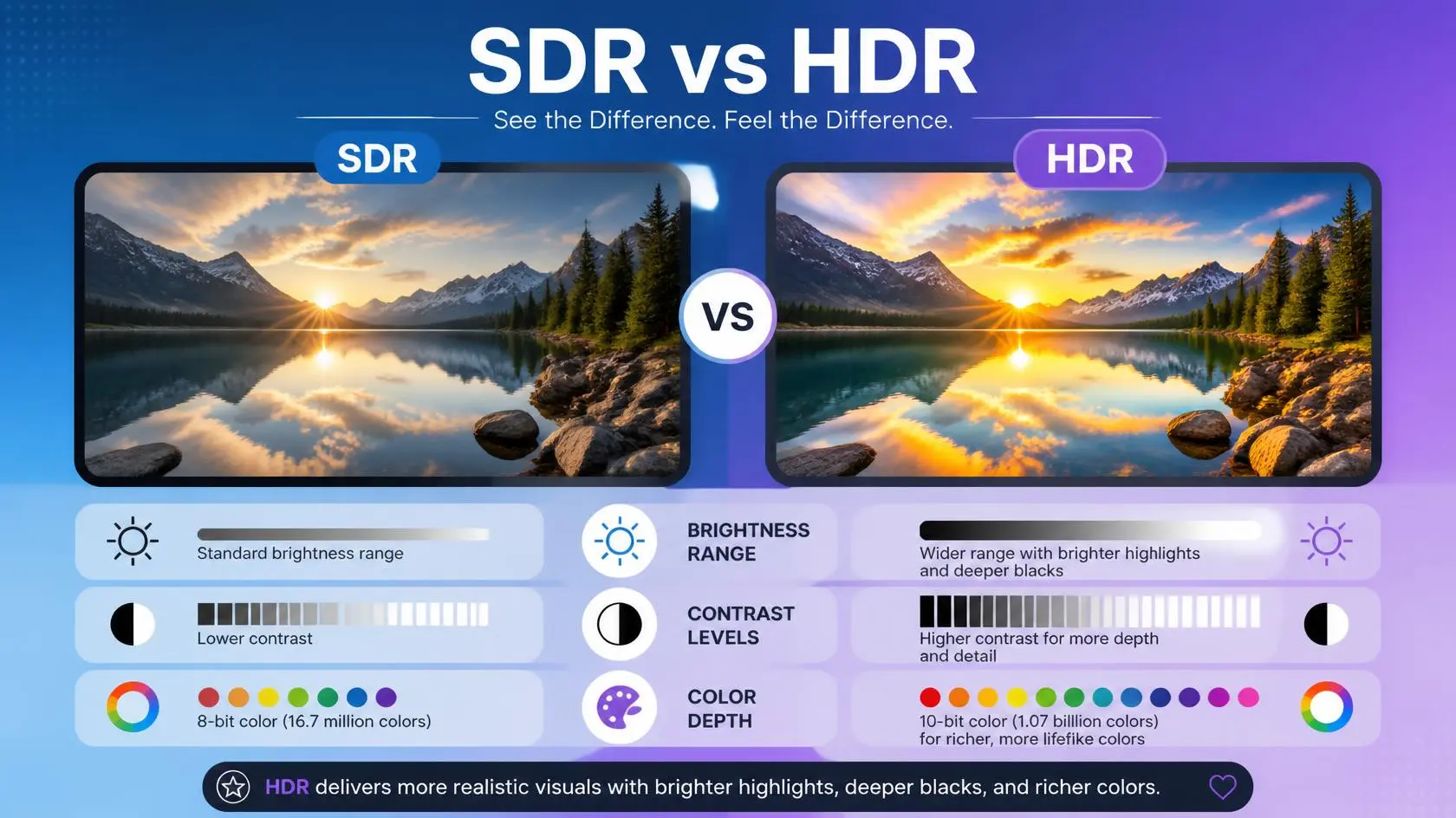
HDR is designed to give compatible video and displays more information for representing those differences. The result can include brighter highlights, more visible detail in dark areas, more nuanced colors, and greater contrast between the lightest and darkest parts of a scene. The actual outcome still depends on the content itself, the display, the mastering process, and your viewing conditions.
YouTube describes HDR video as providing higher contrast and more colors than standard digital video, while noting that compatible devices are required to display it as HDR.
HDR Is Not the Same as 4K
This is one of the easiest things to confuse.
| Feature | What it primarily describes |
|---|---|
| 1080p | Resolution |
| 4K UHD | Resolution |
| HDR | Dynamic range and related image characteristics |
| SDR | Standard Dynamic Range |
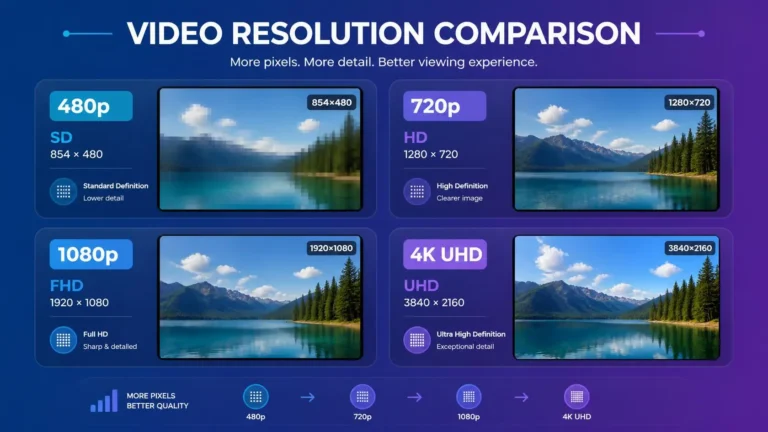
A video can therefore be 4K SDR or 4K HDR, and HDR does not automatically mean a video is shot or delivered in 4K resolution. The two technologies can complement each other, but they describe different aspects of the image.
For a more detailed explanation of the resolution side, see our guide to what 4K streaming is.
What Does High Dynamic Range Actually Change?
HDR is concerned with how a video represents brightness and color. A compatible HDR workflow can preserve information that helps a display reproduce a wider range of tones than a traditional SDR presentation would show.
That does not mean every HDR scene looks dramatically brighter, though. A good HDR presentation is not simply about increasing brightness everywhere. The image is built and displayed according to both the content’s own characteristics and what the display is actually capable of.
HDR and Brightness
Brightness is one of the most noticeable parts of HDR, particularly in scenes with strong highlights like sunlight, bright lamps, reflections, fire, headlights, or bright skies. A suitable HDR display can reproduce these highlights with more intensity than a conventional SDR presentation would manage.
Maximum brightness varies significantly between displays, though. A television that technically supports HDR does not necessarily produce the same HDR result as another HDR television sitting right next to it.
HDR and Dark Scenes
HDR affects darker parts of an image too, but the goal is not simply to make dark scenes brighter. A good HDR display preserves useful separation between different levels of darkness while keeping the intended contrast intact.
Display technology matters a lot here. Different panel types handle black levels, contrast, brightness, and local dimming differently, so two displays supporting the exact same HDR format can still produce noticeably different results.
Color Is Part of the Picture Too
HDR is commonly associated with a wider color range and more precise color representation, but color gamut and dynamic range are technically different concepts. A video can use a wider color gamut, HDR, or both. This is why saying “HDR just means more colors” is an oversimplification.
HDR involves a combination of technical characteristics that allow compatible content and displays to represent brightness and color differently from traditional SDR.
Common HDR Formats
So what is HDR streaming technically, once you get past the marketing? It comes down in part to which specific format your content and device both support, and there is not one universal HDR standard used for every piece of content.
You will commonly encounter HDR10, HDR10+, Dolby Vision, and HLG, and their technical approaches differ enough that support for one does not guarantee support for another.
HDR10 is a widely supported HDR format that uses static metadata. The same HDR metadata applies across the program rather than changing from scene to scene.
HDR10+ builds on HDR10 with dynamic metadata, allowing HDR information to vary according to the content. Support still depends on the service and hardware you are using.
Dolby Vision is a proprietary HDR format that can use dynamic metadata and has its own ecosystem of supported devices and content. A compatible television, playback device, application, and service may all be required to receive Dolby Vision. Dolby documents Dolby Vision as a dynamic HDR format and distinguishes it from HDR10’s static metadata approach.
HLG, or Hybrid Log-Gamma, is an HDR format designed with broadcast applications in mind and is also supported in some streaming and live-video workflows. YouTube, for example, documents HLG and PQ as HDR transfer standards for compatible live streaming workflows.
Why HDR Compatibility Can Be Complicated
Buying an HDR television does not guarantee HDR playback from every app you use. There is a whole chain involved: content, streaming service, application, device, connection, and display. Every relevant part needs to support the required format and playback conditions.
For example, a title might be available in Dolby Vision, but a device that only supports HDR10 will not display that title in Dolby Vision. Depending on the service and playback setup, another supported HDR format or an SDR version may be used instead.
Netflix documents separate HDR requirements for supported devices and formats, showing why the device, plan, application, and display all matter.
What Is HDR Streaming Without a Compatible TV?
If your display does not properly support HDR, the experience will not match what you would get on a compatible HDR display. The streaming service or device may deliver an SDR version instead, depending on the platform.
What is HDR streaming without a compatible display, then? The content can still exist as HDR, but your playback chain may not reproduce it as HDR. YouTube, for example, states that viewers on non-HDR devices receive the video as standard dynamic range rather than HDR.
Netflix also documents device-specific HDR requirements and lists supported HDR playback on selected televisions, streaming devices, computers, phones, and tablets.
Does HDR Need More Internet Data?
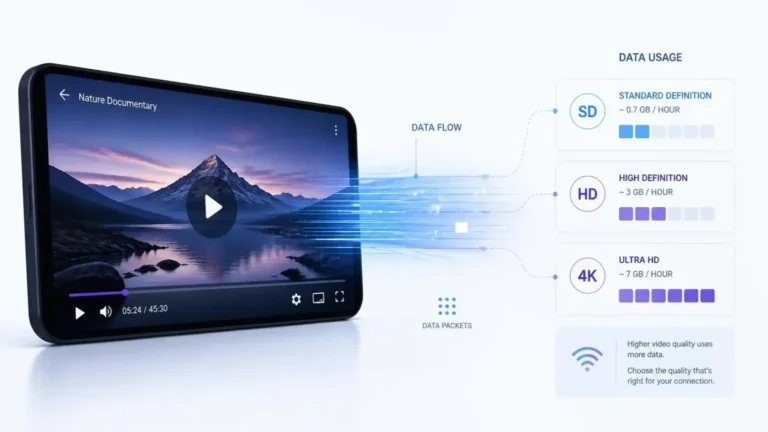
HDR can affect the data a stream requires, but there is no simple rule saying HDR always adds a fixed amount. The final bitrate depends on the encoding system, resolution, frame rate, codec, compression, and other characteristics working together.
If an HDR title is also available at a higher resolution or bitrate, total data use may run higher than a lower-quality version of the same content. It is more useful to check the service’s actual playback or data-use information than to assume one universal HDR data figure applies everywhere.
For more information about how resolution and encoding can affect streaming data, see our guide to how much data streaming uses.
Does HDR Require Faster Internet?
HDR itself does not carry one universal internet-speed requirement. The bandwidth needed depends on the specific stream. A service might deliver HDR as part of a 4K package, in which case the connection requirement is largely related to that particular stream rather than HDR alone.
Netflix, for example, lists a steady 15 Mbps connection for certain Ultra HD HDR playback configurations. Its device documentation also shows that HDR support depends on the specific hardware and playback environment.
That does not mean 15 Mbps is a universal HDR requirement for every service.
Why HDR Can Look Too Dark
HDR problems are not always caused by your internet connection. A video might look unusually dark because of display settings, HDR mode configuration, the television’s picture mode, incorrect device output settings, content mastering choices, compatibility issues, or the display’s own brightness limitations.
Tone mapping can also affect the final appearance because displays have different capabilities from the displays used to master HDR content. Dolby notes that consumer displays can have different peak brightness and contrast capabilities, which can require the HDR image to be mapped to the target display.
If a video plays smoothly but simply looks wrong, check the display and playback settings before assuming the network is to blame.
Why HDR Can Look Different on Two TVs
Two televisions can both technically support HDR and still produce noticeably different results. Display hardware varies in peak brightness, black-level performance, contrast, local dimming, color reproduction, panel technology, and HDR processing. The content itself matters just as much.
HDR is not a simple switch that produces one standardized look on every screen it touches.
HDR on Phones and Tablets
What is HDR streaming on a phone or tablet can involve more limitations than HDR playback on a television. Some phones and tablets support HDR playback, but compatibility depends on the device model, operating system, application, service, and sometimes power or connection conditions.
Netflix maintains device-specific documentation for HDR playback on Android phones and tablets, including separate support for HDR10 and Dolby Vision on certain models.
This is a good example of why a general “HDR-capable” label does not guarantee the same playback experience on every device.
How to Tell Whether You Are Watching HDR
Look for information the streaming service or device actually provides rather than assuming. Depending on the platform, you might see labels such as HDR, HDR10, HDR10+, or Dolby Vision, and some televisions display a dedicated HDR notification when playback begins.
YouTube, for example, displays an “HDR” indicator in the video quality settings when an HDR stream is being viewed on a compatible device.
If a title supports HDR but your television does not switch into its HDR mode, check the playback device and app settings first. The absence of an HDR indicator does not point to one specific problem, so it is worth checking compatibility across the whole playback chain rather than guessing at a single cause.
HDR Does Not Fix a Poor Source
HDR cannot create image information that was never in the original content to begin with. If a source has poor lighting, heavy compression, or limited detail, adding an HDR label does not automatically make it look good.
The source has to be properly captured, mastered, encoded, and delivered for HDR to provide its intended benefit. That is why HDR is best thought of as part of the whole production and playback process, not a standalone picture-quality button you can simply switch on.
When HDR Is Most Noticeable
The difference is easiest to see in scenes with strong contrast, such as bright skies against darker landscapes, night scenes with artificial lights, reflections on water or glass, sunsets, fire, or any scene mixing very bright and very dark areas at once.
The effect still depends heavily on the display itself. A genuinely capable HDR television can make these differences more apparent than a display with limited brightness or contrast range.
A Simple HDR Compatibility Check
Before troubleshooting an HDR title, it helps to check the whole chain instead of one setting at a time.
- Is the title available in HDR?
- Does your subscription support the required quality tier?
- Does your streaming device support that specific HDR format?
- Does your TV or monitor support it too?
- Is the application up to date?
- Are the device’s output settings actually correct?
- Is the right HDMI connection being used, where that applies?
- Does the display indicate HDR playback is genuinely active?
Checking the entire chain at once is more useful than repeatedly changing one television setting and hoping something sticks.
Frequently Asked Questions
What is HDR streaming in simple terms?
What is HDR streaming in simple terms? It is streaming video that uses High Dynamic Range technology to represent brightness and color information in a way that compatible displays can reproduce with a wider range of tones.
Is HDR better than 4K?
They are not direct alternatives. 4K describes resolution, while HDR concerns dynamic range and related image characteristics, and a single stream can support both at once.
Does every HDR TV support every HDR format?
No. HDR support varies between television models, streaming devices, applications, and the specific format in question.
Can HDR work without 4K?
Yes. HDR and resolution are separate characteristics, though many commercial streaming services bundle them together.
Why does HDR sometimes look darker?
Display brightness, picture settings, HDR mode, content mastering, and device compatibility can all affect how it looks. A dark HDR image is not automatically evidence of a slow internet connection.
Does HDR use more data?
It can, depending on how the content is encoded and delivered, but there is no universal amount of extra data that applies to every HDR stream.
The Main Point
What is HDR streaming, really? It is best understood as a question about how video represents brightness, contrast, and color, not simply how many pixels appear on the screen.
HDR works alongside resolution technologies like 4K, but it carries its own set of requirements. The content, streaming service, application, playback device, and display all need to support the relevant HDR format for the experience to come through as intended.
When HDR does not look right, the network is only one possible factor among several. Checking compatibility and display settings can matter just as much as checking your internet connection.