What Is Adaptive Bitrate Streaming?
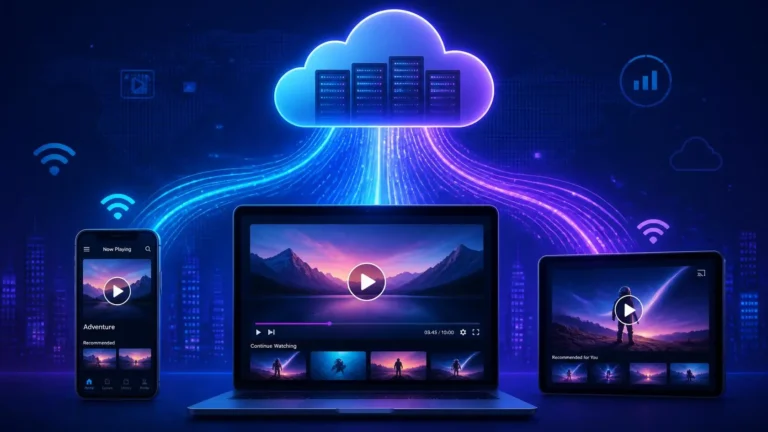
A streaming video does not always arrive at one fixed quality. Modern streaming systems can prepare several versions of the same video and let the player choose among them while playback continues. This is the basic idea behind adaptive bitrate streaming.
If you have ever noticed a video begin at a lower quality and become clearer after a few seconds, you have seen this process in action. Understanding what is adaptive bitrate streaming helps explain why a player can respond to changing network conditions without stopping playback every time bandwidth changes.
For a beginner explanation of streaming itself, see our guide to what streaming is.
The Basic Idea
The simplest way to understand what is adaptive bitrate streaming is to think about several versions of the same video rather than one large file. A service may prepare multiple representations with different bitrates, resolutions, or other encoding characteristics. The player can then request the version that fits current conditions.
Adaptive bitrate streaming does not mean that the original video is continuously re-encoded while you watch. The different versions are normally prepared before delivery. The playback system uses information about those versions and decides which one to request as conditions change.
The goal is not always to select the highest available quality. A player also needs to keep enough media arriving to maintain continuous playback. If the connection becomes slower, requesting a lower-bitrate representation can reduce the amount of data needed for upcoming media.
Why a Video Needs Multiple Versions
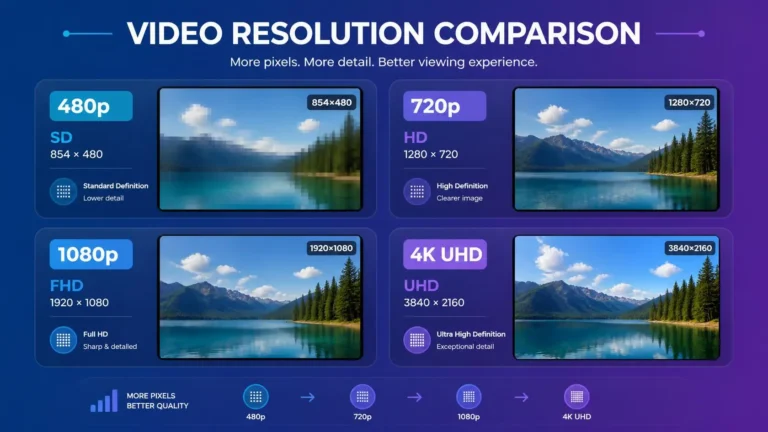
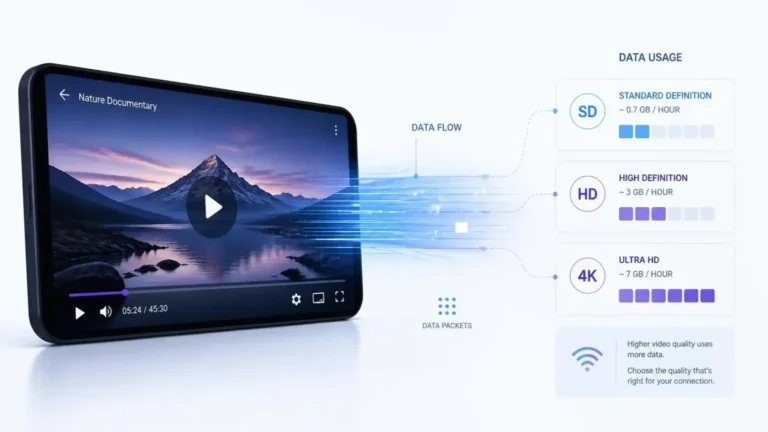
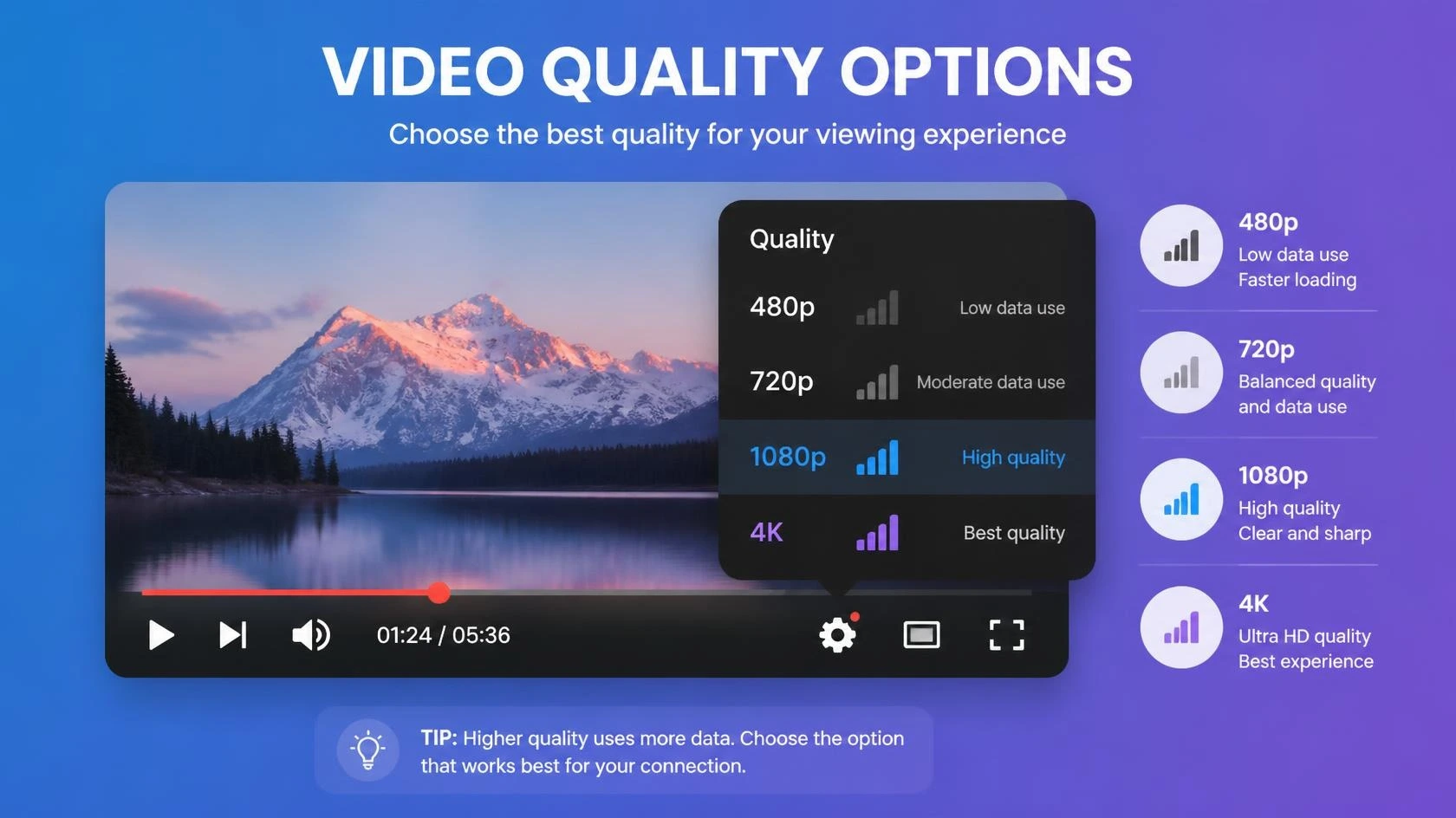
A single encoded version cannot provide the same experience under every network condition. A high-bitrate 4K representation can require substantially more data than a lower-resolution version. A connection that handles the higher version easily at one moment may not handle it as reliably later.
This is why streaming services create multiple versions of the same content. Each version can be associated with a particular bitrate and resolution, while other properties such as codecs, frame rate, and audio configuration can also differ.
For what is adaptive bitrate streaming to work, the player needs a way to discover these available versions and understand how they are organized. HLS and MPEG-DASH use playlists or manifests to describe the media that a client can request. In HLS, a Master Playlist can identify Variant Streams, while DASH uses an MPD to describe available representations and related information. MDN explains how both formats use playlists or manifests to organize segmented media.
How Adaptive Streaming Is Prepared
The process begins with the original media. A service creates several encoded versions that cover a range of quality and bitrate levels. The media is then divided into smaller segments or chunks so the player can request portions of the presentation rather than downloading one complete video file.
MDN describes adaptive streaming as media divided into chunks with several quality files available over time. HLS and MPEG-DASH both use playlist-based structures to identify the media and its different streams.
For DASH, the MPD provides information about the available streams, including details such as bandwidth, codecs, and media locations. For HLS, playlists describe media segments and can provide different Variant Streams for the same presentation.
The result is a collection of related media assets that the player can use during playback. The player does not need to download every quality level. It can request the segments it currently needs from the selected representation.
What Happens When You Press Play?
Step 1: The Player Requests the Stream
When you press play, the player first needs information about the available media. Depending on the streaming format, this may involve downloading a playlist or manifest that describes the available versions and where their media segments can be found.
Step 2: The Player Examines the Available Versions
The player can see the available representations and their characteristics. These may include bitrate, resolution, codecs, and other playback information. The player also has information from its own playback environment, such as recent download performance and available buffer.
Step 3: Playback Begins
The player selects an appropriate representation and begins requesting the required media segments. The first choice is not necessarily the highest quality available because the player also needs to establish reliable playback.
Step 4: Conditions Are Monitored
As playback continues, the player observes how quickly media is arriving and how much content is already buffered. Network performance can change because of Wi-Fi conditions, congestion, other devices, or changes in the route between the device and the service.
Step 5: The Player Can Change Representation
If conditions improve, the player may request a higher-quality representation for later segments. If conditions become worse, it may request a lower-quality representation. DASH is specifically designed to allow switching between bitrates based on network performance, while HLS supports switching among Variant Streams.
This switching is normally done between media segments rather than changing the quality of the entire video file at once. That is one reason adaptive streaming can respond to changing conditions while playback is already underway.
What Does “Bitrate” Mean Here?
Bitrate describes how much data is used to represent media over time. It is commonly expressed in bits per second, such as kilobits per second or megabits per second.
A higher bitrate can allow more information to be preserved in the encoded video, although bitrate alone does not determine visual quality. Resolution, codec efficiency, frame rate, content complexity, and encoding settings also matter.
For a simple example, imagine a service offering three video representations. One may use a lower bitrate for weaker connections, another may target a middle range, and a third may use a higher bitrate for connections that can sustain it. The player can move between these choices as conditions change.
What Makes the Stream Change Quality?
The decision is made by the playback system using several signals rather than one universal rule. Recent download speed is important, but buffer level, segment download time, device capability, selected content, and player logic can also affect the decision.
This means two people with the same advertised internet plan can sometimes receive different playback quality. Their actual network conditions, devices, Wi-Fi environments, and playback situations may not be identical.
Adaptive streaming also does not guarantee that quality will always increase when more bandwidth becomes available. The service may have a limited number of representations, and the player may deliberately remain at a lower level to reduce the risk of a future interruption.
For more on the network side of playback, see our guide to what internet speed you need for streaming.
Does Adaptive Bitrate Always Mean Lower Quality?
No. The purpose is to give the player several choices so it can balance quality and reliable playback. When conditions support a higher representation, the player can move upward. When conditions become less favorable, it can move downward.
The important point is that adaptive streaming is not simply a quality-reduction system. It is a method for matching media delivery to changing playback conditions.
Why You Sometimes Notice a Quality Change
A quality change can be visible when the player switches between representations with noticeably different resolution or bitrate. You may see a soft image become clearer, or you may notice a temporary reduction in detail during a period of weaker connectivity.
The transition is not necessarily a sign that something is broken. In many cases, it is the system responding to current conditions so that playback can continue.
If you are troubleshooting poor picture quality, our guide to why streaming video quality can be poor covers other possible causes, including connection, device, display, and playback settings.
Adaptive Streaming and Buffering Are Related, but Different
Adaptive bitrate streaming and buffering solve different parts of the playback problem. Adaptive streaming changes which representation the player requests. Buffering refers to media that has already been downloaded and is available ahead of the current playback position.
If a player detects that the connection cannot reliably sustain the current representation, it may switch to a lower bitrate before the buffer is exhausted. This can help reduce the chance of a playback interruption.
However, adaptive streaming cannot eliminate every buffering problem. A connection can be too slow, unstable, congested, or interrupted. A service can also have delivery problems. If the player cannot obtain media quickly enough even at a lower representation, playback can still pause.
Our troubleshooting guide explains more about why streaming keeps buffering.
HLS and MPEG-DASH
HLS
HTTP Live Streaming, or HLS, uses playlists to describe media and can provide multiple Variant Streams for the same presentation. A Master Playlist can identify those variants, and each variant can point to a Media Playlist containing the relevant media segments.
The HLS specification describes Variant Streams as different versions of the same content and says clients should switch between them to adapt to network conditions.
You can read the full technical specification in RFC 8216: HTTP Live Streaming.
MPEG-DASH
MPEG-DASH, or Dynamic Adaptive Streaming over HTTP, uses an MPD manifest to describe available media representations. A client can use this information to request different representations during playback.
MDN describes DASH as an adaptive streaming protocol that can switch between bitrates according to network performance. DASH commonly uses HTTP delivery and can work with conventional web servers and CDNs.
For a practical technical explanation of DASH and HLS media sources, see MDN’s adaptive streaming guide.
Both approaches support the same broad concept: prepare multiple versions, describe them to the client, divide the media into segments, and allow the player to choose appropriate segments during playback.
Does Adaptive Streaming Work Only for Live Video?
No. Adaptive streaming can be used for both live and on-demand video. Live playback benefits from the ability to react to changing network conditions while the event is still being delivered, but on-demand services can use the same general approach.
For on-demand content, the available representations can be prepared in advance. The player can then request the appropriate segments as the viewer watches.
What Happens When the Connection Suddenly Gets Worse?
When network performance drops, the player may choose a lower representation for future segments. The exact response depends on the player, the available representations, and how much media is already buffered.
If the drop is brief, the existing buffer may provide enough time for conditions to recover. If the problem continues, the player may need to reduce quality further. If the available bandwidth becomes insufficient even for the lowest representation, playback can eventually stall.
This is why adaptive streaming can reduce the effect of changing bandwidth, but it cannot create bandwidth that the connection does not have.
What Adaptive Bitrate Streaming Cannot Fix
Understanding what is adaptive bitrate streaming also means understanding its limits. It cannot repair a damaged network connection, replace missing bandwidth, correct a broken streaming application, or make an unsupported video format work on a device.
It also cannot guarantee a particular resolution. The final playback quality depends on the representations offered by the service, the device and display, the connection, the player, and other technical conditions.
If a service does not provide a 4K representation for a particular title, adaptive streaming cannot create genuine 4K from a lower-quality source. Similarly, if a device cannot decode or display a particular format, the player may need to use another available option.
For more background on 4K requirements and playback, see what 4K streaming is.
A Simple Real-World Example
Imagine that you start watching a video on a laptop connected through Wi-Fi. At the beginning, the network is performing well, so the player selects a higher-bitrate representation.
A few minutes later, another device begins using the same connection heavily. The available bandwidth for the laptop falls. Instead of continuing to request the same high-bitrate segments and risking an interruption, the player may request a lower representation.
Later, the other device stops using the network. Conditions improve, and the player may move back toward a higher-quality representation.
This example shows why what is adaptive bitrate streaming is not simply about choosing a video quality once. The important part is that the player can make new decisions as playback conditions change.
Why Streaming Services Use It
The main reason services use adaptive streaming is to support reliable playback across a wide range of network and device conditions. Viewers may watch from different internet connections, locations, devices, and display sizes.
Preparing multiple representations gives the playback system more options. A user with a strong connection may receive a higher-bitrate version, while another user with weaker conditions may receive a lower-bitrate version that is easier to deliver consistently.
This approach is also useful because the media can be delivered through ordinary HTTP infrastructure and CDNs. MDN notes that both HLS and MPEG-DASH organize media into segments and use playlist or manifest structures to describe available streams.
Frequently Asked Questions
Is adaptive bitrate streaming the same as buffering?
No. Adaptive streaming concerns selecting among available media representations. Buffering concerns media that has already been downloaded ahead of playback. They interact because a player can change representation to help protect the buffer.
Does adaptive streaming always lower video quality?
No. The player can move to a higher representation when conditions support it. It can also move down when conditions become less favorable.
Does adaptive streaming require a fast internet connection?
It requires enough available bandwidth to deliver the selected representation. Adaptive streaming gives the player different options, but it cannot overcome a connection that is consistently too slow or unstable for the available representations.
Can adaptive streaming work on Wi-Fi?
Yes. Wi-Fi is simply one way the device can connect to the network. Changes in Wi-Fi performance can influence which representation the player selects.
Is HLS adaptive?
Yes. HLS supports multiple Variant Streams and allows clients to switch between them based on network conditions.
Is MPEG-DASH adaptive?
Yes. DASH is specifically designed for adaptive delivery and can switch between bitrates based on network performance.
The Main Point
What is adaptive bitrate streaming can be answered simply: it is a method of delivering media in multiple versions so a player can adjust the requested quality as playback conditions change.
The important part is not just having different quality levels. The system also needs segmented media, a playlist or manifest that describes the available options, and playback logic that can select among them.
When these parts work together, a streaming player can respond to changing network conditions without requiring the viewer to manually restart the video or choose a new file each time conditions change.