How Much Data Does Streaming Use?
Streaming does not use a fixed amount of internet data. The amount can change considerably depending on video quality, compression, playback time, and the service delivering the content.
So, how much data does streaming use during a typical movie or episode? A standard-definition stream may consume relatively little, while HD, Full HD, and 4K playback can use substantially more. Watching for several hours each day can also make the difference noticeable over a month.
Understanding the relationship between video quality and data usage makes it easier to estimate how much of your internet allowance streaming may consume.
Data Usage by Video Quality
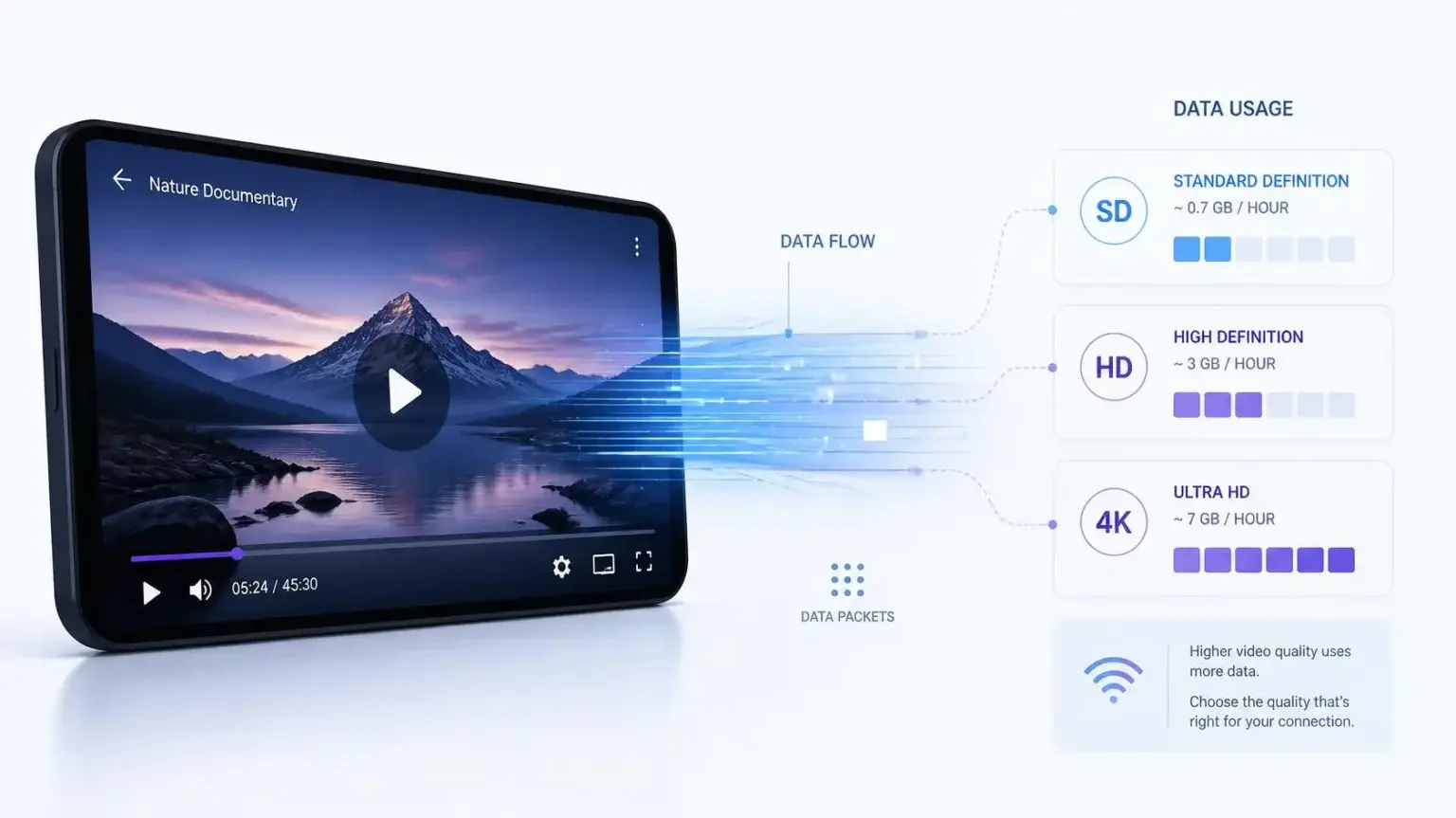
There is no universal data rate for every streaming service, but these figures provide useful estimates for planning purposes.
| Video quality | Approximate data per hour | Approximate data for 2 hours |
|---|---|---|
| SD | 0.7 GB | 1.4 GB |
| HD | 1.5 GB | 3 GB |
| Full HD | 2 to 3 GB | 4 to 6 GB |
| 4K / Ultra HD | 7 to 10+ GB | 14 to 20+ GB |
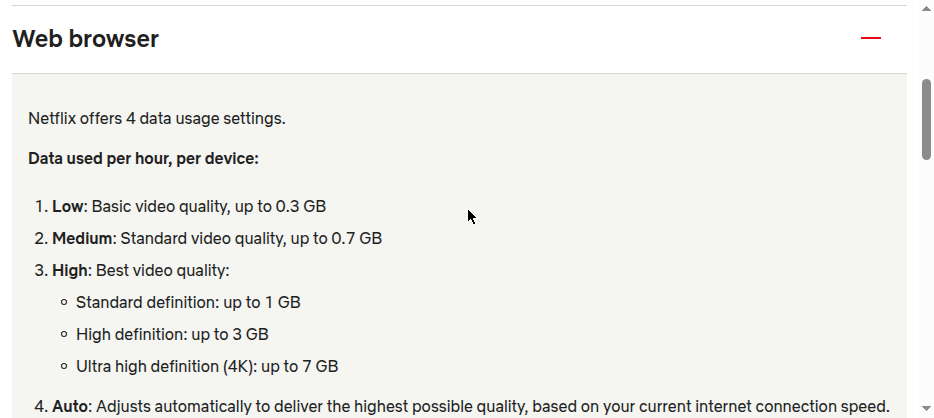
These are estimates rather than fixed limits. A particular service can use more or less data because of its encoding, compression, bitrate selection, and playback technology. As a real-world reference point, Netflix’s own help center lists its high-quality setting at up to 1 GB per hour for standard definition, up to 3 GB per hour for HD, and up to 7 GB per hour for 4K, which sits within the same range these industry-wide estimates suggest.
Why Video Quality Makes Such a Difference
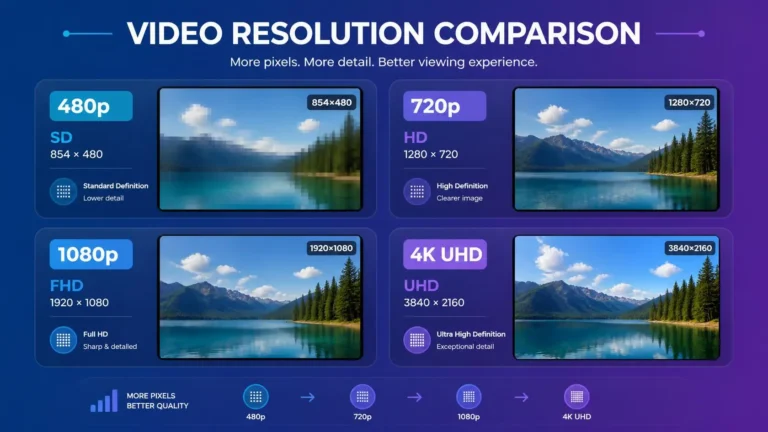
Higher-quality video generally contains more visual information that needs to be delivered to your device.
A 4K video has a much higher resolution than an SD video. If the service sends that content at a higher bitrate, more data needs to reach your device during playback.
However, resolution alone does not determine usage. Two videos with the same resolution can consume different amounts of data because they may use different codecs, bitrates, frame rates, or compression settings. This is why data estimates should be treated as ranges rather than exact numbers.
Bitrate Is the Key Number
If you want to understand streaming data consumption more precisely, bitrate is more useful than resolution by itself.
Bitrate describes how much media data is delivered over time, commonly measured in bits per second. A stream using a higher average bitrate will generally transfer more data during the same viewing period than a stream using a lower bitrate.
A simple calculation can estimate the amount of data transferred: data in gigabytes is roughly equal to bitrate in Mbps multiplied by viewing time in seconds, divided by 8, divided by 1,000. For a one-hour stream at a constant 5 Mbps, that works out to about 2.25 GB. Real streaming sessions are more complicated because bitrate can change during playback, especially when adaptive streaming is used.
What Adaptive Streaming Changes
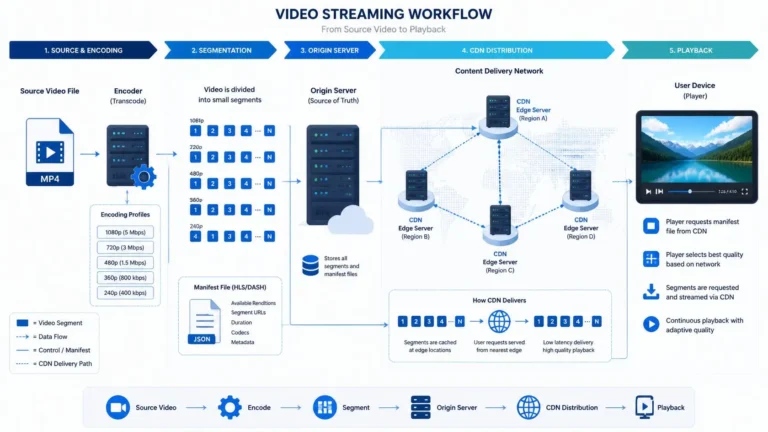
Modern streaming services often use adaptive bitrate technology. Instead of delivering one fixed-quality version throughout the entire session, the player can switch between different representations of the video according to current network conditions and device capabilities.
That means data consumption can vary during a single viewing session. A video might begin at a lower quality while the connection is unstable and later switch to a higher-quality representation when conditions improve. This can make actual usage different from a simple calculation based on the video’s advertised resolution.
Does Watching a Movie Use More Data Than an Episode?
The length of the video matters more than whether it is called a movie or an episode. A two-hour movie and two one-hour episodes consume roughly similar amounts of data when streamed at comparable quality and bitrate, so at an average of 3 GB per hour, a 30-minute episode uses about 1.5 GB while a three-hour viewing session uses closer to 9 GB. The actual amount can vary because streaming quality and bitrate are not always constant.
How Much Data Does Streaming Use Per Month?
The easiest way to estimate your monthly consumption is to combine viewing time with an approximate hourly usage figure.
For example, suppose someone watches two hours of HD video each day and the stream averages around 1.5 GB per hour. That comes to about 3 GB a day, or roughly 90 GB across 30 days. That is an estimate for streaming alone. Other activities such as software updates, cloud backups, downloads, browsing, video calls, and gaming can use additional data.
| Daily viewing | Approx. HD usage at 1.5 GB/hour | Approx. monthly usage |
|---|---|---|
| 1 hour | 1.5 GB | 45 GB |
| 2 hours | 3 GB | 90 GB |
| 3 hours | 4.5 GB | 135 GB |
| 4 hours | 6 GB | 180 GB |
These numbers illustrate how quickly regular viewing can add up. They should not be interpreted as guaranteed consumption for every HD service.
What Happens With 4K?
4K streaming can have a much larger effect on a monthly data allowance. Using an illustrative estimate of 8 GB per hour, one hour a day works out to roughly 240 GB a month, two hours a day to roughly 480 GB, and three hours a day to over 700 GB. The actual figures depend on the service and its encoding settings, so for households with a monthly data cap, regularly watching 4K content can be a significant part of the overall data budget.
Does Streaming Use Data on Wi-Fi?
Yes. Wi-Fi is simply the local wireless connection between your device and your router. The internet data still passes through your broadband connection.
If you watch a video on a Smart TV connected to your home Wi-Fi, the data received by that TV normally counts toward the usage of the internet connection supplying your home. Wi-Fi itself does not make the video consume less internet data.
What About Mobile Data?
Mobile streaming works in much the same basic way, but the consequences can be more noticeable when your mobile plan has a limited data allowance. Watching high-quality video over cellular data can consume a significant portion of a small monthly allowance.
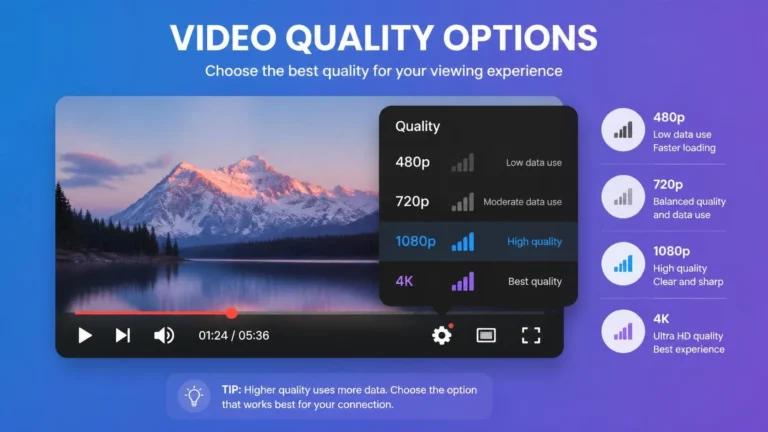
If your mobile plan has limited data, checking the streaming application’s quality or data-saving settings can help control usage. Some applications also provide options that prioritize lower data consumption when using mobile networks.
Why Your Actual Usage May Be Different
A data estimate is useful, but several factors can change the final amount. Longer viewing sessions transfer more data, and higher-quality playback generally requires more data than lower-quality playback. The player may also move between different quality levels while you watch, since modern codecs can deliver similar visual quality using different amounts of data depending on how efficiently they compress the video.
Content with higher frame rates can require additional data when other factors are comparable, and a visually complex scene can behave differently from a relatively simple scene because compression efficiency changes with how much detail is in the picture. The player may also download some data ahead of the exact point where you are watching, just to keep playback smooth.
Does Pausing a Video Stop Data Usage?
Usually, pausing playback reduces or stops the need for continuous video delivery, but it does not necessarily mean that no data is transferred at all. A player may already have buffered some content, and applications can perform other network activity in the background.
For this reason, repeatedly pausing a stream is not a reliable method for measuring exact data consumption. If accurate usage matters, check the data statistics provided by your device, router, mobile provider, or internet service.
How to Reduce Streaming Data Usage
If you have a limited data allowance, you do not necessarily need to stop streaming. Try adjusting the way you watch instead.
Reducing playback quality can substantially decrease the amount of data transferred, and some streaming applications offer dedicated data-saving settings built for exactly this purpose. If your display is not capable of showing 4K or the difference is not important to you, a lower-quality stream is usually enough. If you frequently watch over cellular data, configure the application to use a lower quality or data-saving mode when appropriate, and check your router, operating system, or internet provider for usage statistics that show how much data your connection is actually consuming.
Can Downloading Use Less Data Than Streaming?
Not necessarily. Downloading a video and streaming the same video at the same quality can involve a similar amount of underlying media data. The important difference is when and how the data is transferred.
A downloaded file is transferred before playback and stored locally, while streaming delivers the media progressively as you watch. The total amount transferred depends on the file or stream rather than simply on whether you chose to download it or stream it. Streaming can sometimes avoid transferring content you never watch, while a complete download may transfer the entire file regardless.
How to Check Your Real Data Consumption
If you want a number based on your own viewing habits rather than a general estimate, use your network’s usage information.
Record your current data usage, watch normally for a known period, check the usage again, and compare the difference. Repeat the test with another quality setting if you want to compare the two directly.
Keep in mind that the measured increase can include other activity from the same device or network. For a household connection, router-level statistics can be more useful because they may account for multiple connected devices.
A Practical Way to Think About Streaming Data
Quality influences the amount of media data required, viewing time determines how long data is being transferred, and bitrate gives a more direct indication of the amount of data moving through the connection.
This is also why two people can watch the same type of content but have very different monthly data consumption. Someone watching one hour of HD video per day may use far less data than another person watching several hours of 4K video every day.
Frequently Asked Questions
How much data does one hour of streaming use?
It depends on the quality and service. A rough planning range could be around 0.7 GB for SD, 1.5 GB for HD, 2 to 3 GB for Full HD, and 7 to 10 or more GB for 4K per hour.
Does 4K streaming use more data than HD?
Generally, yes. 4K streams commonly use higher bitrates than HD streams, although the exact difference depends on encoding and compression.
Does streaming use data when the video is paused?
It can. Some content may already be buffered, and the application may perform other network activity. The amount is usually much lower than continuous playback.
Does Wi-Fi reduce streaming data usage?
No. Wi-Fi changes how your device connects to the router. It does not inherently reduce the amount of internet data required by the video.
Can lowering video quality save data?
Yes. Lower-quality playback generally requires less data because the stream can use a lower bitrate.
Final Takeaway
There’s no single number for how data adds up when you stream, because consumption changes with quality, bitrate, viewing time, and the technology behind the service.
For planning purposes, SD and HD viewing generally consume far less data than 4K. The difference becomes especially significant when you watch for several hours each day or have multiple people streaming in the same household.
If your internet plan has a data limit, monitor your actual usage and choose video-quality settings that fit the allowance. This gives you a much more reliable picture of your monthly streaming consumption than relying on one fixed number.