How Does Streaming Work? A Simple Technical Guide
When you press play on an online video, the picture appearing on your screen is the result of several systems working together. So how does streaming work behind that one button? The original media gets prepared for online delivery and hosted on a server or content delivery network. Your device then requests it, and a media player processes it.
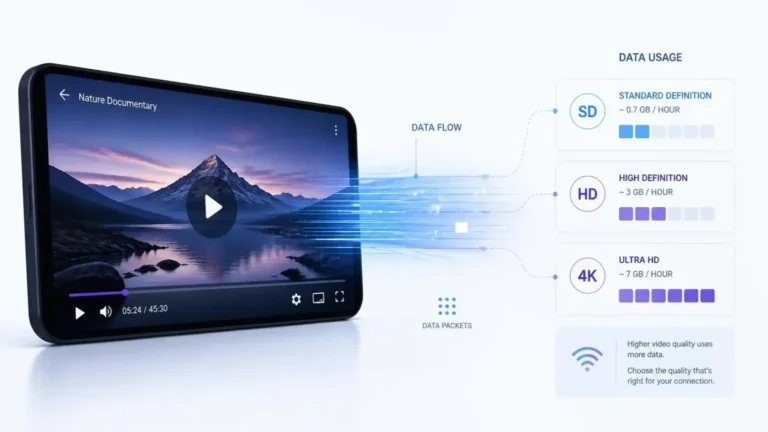
In many modern streaming systems, the video also gets divided into smaller pieces and made available at different quality levels. The player then requests the media it needs and keeps requesting more as playback continues. This article walks through that process from the original video to the screen. It leaves out internet speed, data usage, 4K, HDR, and troubleshooting, since those get their own guides.
The Basic Streaming Process
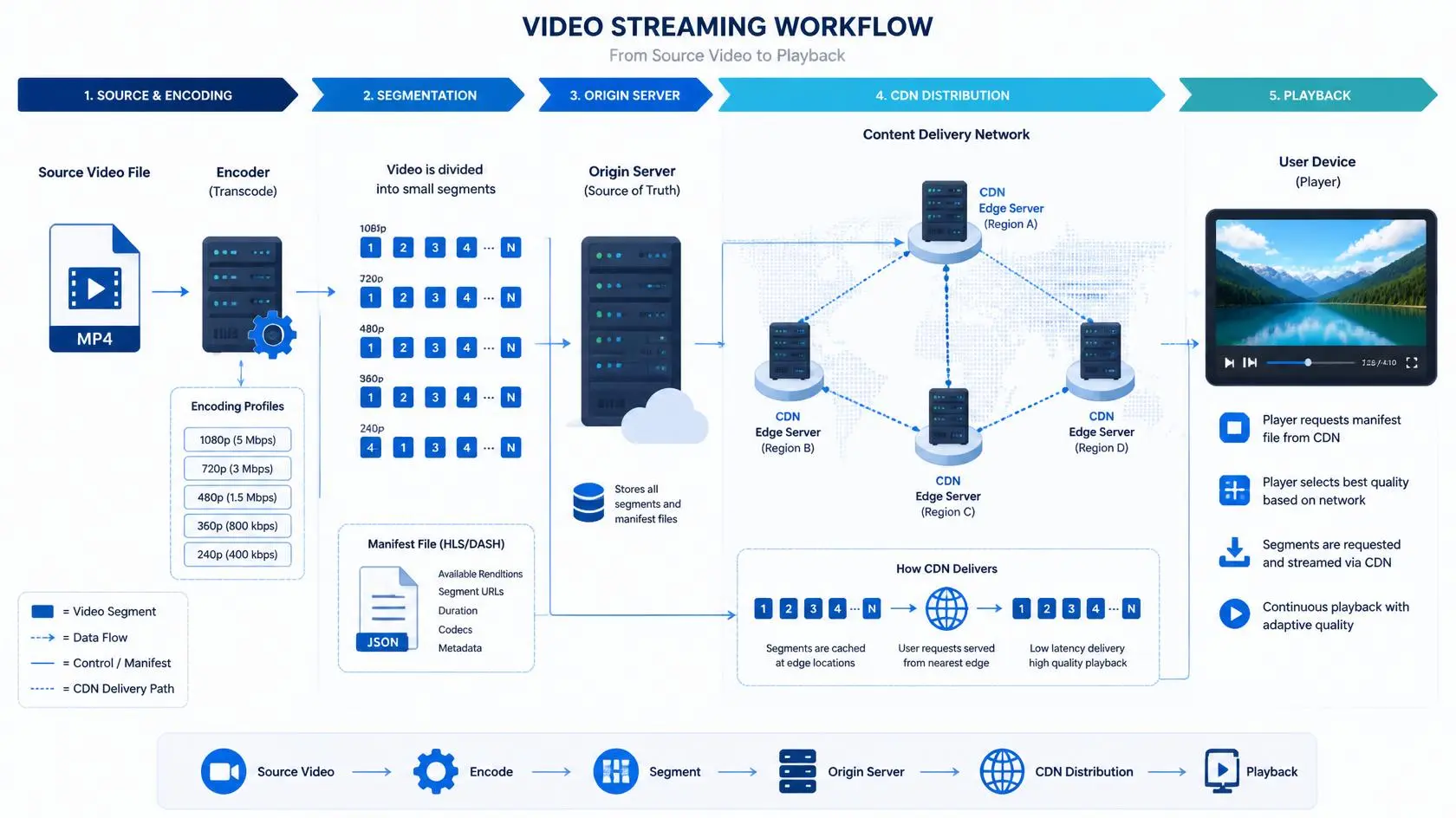
So how does streaming work once you press play? A simplified path moves through several stages. The video source gets encoded and prepared as media. From there, it gets hosted on a server or CDN, sent across the internet, picked up by a streaming player, and finally shown on your screen.
Each part along that path plays a different role. Encoding converts the original video into formats suitable for playback, and the prepared media then gets hosted and delivered over a network.
Your device requests the content, receives the required media data, and passes it to the player. The player handles that data and turns it into the audio and video you see and hear. The exact implementation varies between services, but this general process is common to modern internet video delivery.
Step 1: The Original Video Is Prepared
Streaming starts before anyone presses play. A video might begin as a high-quality source recording or another master file. That source isn’t necessarily the exact version that gets delivered to every viewer.
That original file has to be prepared for online distribution. Preparation can involve encoding the video and audio into formats supported by the intended devices and playback systems.
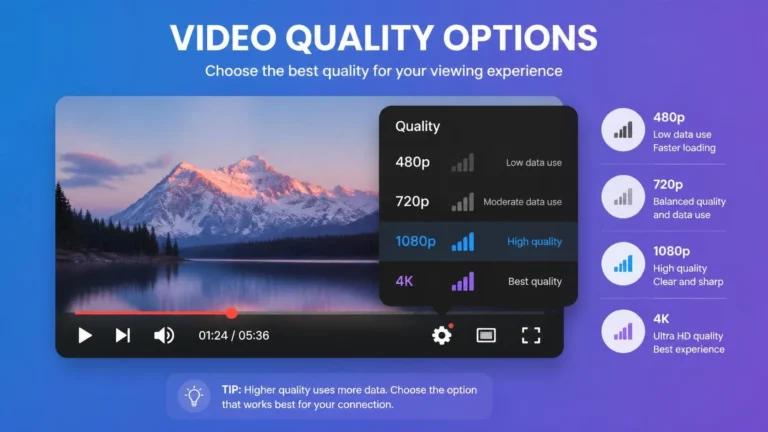
A service may create multiple versions of the same content so its streaming system has different options during playback. A single piece of content, for example, can have several versions with different bitrates and resolutions. The player can then select whichever version fits, instead of relying on one fixed representation.
Step 2: The Video Is Divided Into Media Segments
Many modern streaming systems do not deliver an entire video as one large file. Instead, they divide the media into smaller segments.
HTTP Live Streaming, or HLS, is one example. Apple describes HLS as delivering audio and video through ordinary web servers and content delivery networks. HLS uses playlists to identify the media a client should request.
In a typical HLS setup, the playlist contains references to media segments, and the player reads that playlist and requests the segments it needs. That creates a continuous loop: the player reads the playlist, pulls one segment after another, and keeps playback going the whole time.
The individual segments are not normally visible to the viewer. They are part of the technical delivery system working behind the scenes of the player.
Step 3: A Playlist Describes the Available Media
A playlist provides the information a player uses to locate and select media. For HLS, playlists are commonly represented by M3U8 files.
Apple’s documentation describes an HLS playlist as an index containing an ordered list of URLs for media segments. The client accesses that index, then requests the referenced media files.
A service can also provide a playlist that describes multiple versions of the same content. Those versions can represent different combinations of resolution, bitrate, codec, audio, and subtitles. The player uses this information when deciding which representation to request.
Step 4: The Content Is Delivered From a Server or CDN
The prepared media needs to be available somewhere viewers can reach it. That can mean ordinary web servers or a content delivery network, commonly called a CDN.
A CDN distributes content through a network of delivery locations, so users retrieve data through infrastructure built for large-scale delivery. HLS is specifically designed to work with web servers and CDNs.
The viewer does not normally need to know which individual server is handling a particular request. The delivery infrastructure works behind the scenes while the player receives the media it needs.
Step 5: Your Device Requests the Media
When you select a video, the application or browser begins the playback process. The player needs to determine where the media is located and what it can play.
For an HLS stream, this can involve requesting the playlist and then requesting the media segments that playlist identifies. Apple’s HLS deployment documentation describes a basic setup in which an HTML page or client application acts as the receiver. A web server or CDN hosts the media in that setup.
The important point is that your device is not simply receiving one continuous file. The player is participating in a sequence of requests and playback decisions.
Step 6: The Player Buffers Some Media
The player does not necessarily wait until each individual piece finishes playing before requesting the next one. It can keep additional media ready ahead of the current playback position. That’s called buffering.
A buffer gives the player some media to work with while more data arrives. That does not mean buffering is always a problem. In normal playback, buffering is simply part of how a player keeps video running continuously.
The problem occurs when the player can not get enough usable media to keep playback moving. The causes of those interruptions belong in the site’s separate troubleshooting section, so this article won’t turn into a troubleshooting guide.
Step 7: The Player Decodes the Media
Receiving media data is not the final step. The device still has to process the video and audio so it can actually play them.
The media player uses supported codecs and device capabilities to decode the content. The decoded video then goes to the display, while the audio gets processed for playback through the device’s speakers, headphones, or connected audio equipment.
This is one reason compatibility matters. A streaming service can deliver media correctly, but the device and software still need to support the relevant formats.
How Does Adaptive Streaming Fit Into This?
How does streaming work when your connection speed changes halfway through a video? Many streaming systems provide several versions of the same content, and the player chooses between them as playback conditions change. That’s the basic idea behind adaptive bitrate streaming.
Apple describes HLS as dynamically adapting playback to network conditions. Its HLS documentation supports multiple encodings of the same content through multivariant playlists.
A player may have access to several representations of a video, request one, and later switch to another as conditions change. The goal is to keep playback going while using whichever version fits best. We cover this technology in much greater detail in a separate article, What Is Adaptive Bitrate Streaming?
What Happens During Live Streaming?
How does streaming work differently when there’s no finished file to start from? The basic concept stays similar, but live streaming adds one important difference. With on-demand video, the content already exists and gets requested whenever a viewer chooses it. With a live stream, new media keeps getting produced and added to the delivery system in real time.
In an HLS live workflow, the playlist gets updated as new media segments become available. Apple documents this live playlist behavior, where new segments get added as an event progresses.
That creates an ongoing loop: the live source keeps getting encoded, new segments get added, and the playlist updates. The player just keeps following the stream and requesting whatever’s new.
What Is the Difference Between a Server and a CDN?
A server and a CDN both relate to content delivery, but they are not exactly the same thing. A server can host or provide access to media, while a CDN is a distributed delivery system built to serve content through multiple network locations.
For large streaming services, delivery infrastructure can get far more complex than a single server sending a video directly to every viewer. Using a CDN helps services distribute large amounts of media efficiently across different locations. HLS was designed to work with standard web servers and CDNs, rather than requiring a specialized streaming transport network.
Does Streaming Use One Connection From Start to Finish?
Not necessarily. A streaming session can involve multiple requests for playlists, media segments, and other resources. The exact behavior depends on the streaming technology and the service.
An HLS player, for example, can request a playlist and then request the media files referenced by it. Live HLS adds another layer, since the playlist itself can change as new media becomes available. This is one reason the technical process behind a simple play button is more complicated than it looks.
Why Streaming Technology Uses Segments
So how does streaming work at the segment level, exactly? Breaking media into smaller pieces provides several technical advantages. It lets a player request media progressively instead of receiving one complete file. It also makes it possible for streaming systems to work with different versions of the same content.
For adaptive streaming, the player can select different representations as playback continues. Segments also fit naturally with HTTP-based delivery and caching infrastructure.
The exact segment format and duration vary depending on the streaming technology and implementation. Apple notes that HLS media segments are typically small files, with examples using segments of around six seconds, although durations can vary.
A Simple Example
So how does streaming work in a real situation? Imagine a 60-minute video prepared for streaming. Instead of treating it as one large object, the service could prepare it as a sequence of media segments.
The player might first request the playlist, then request enough segments to begin playback. As you watch, the player keeps requesting additional segments. If multiple quality versions are available, it can switch between them according to the streaming system’s rules and current conditions.
You see one continuous video. Behind the scenes, the player is handling a whole sequence of media requests and playback decisions.
Does Every Streaming Service Work Exactly This Way?
No. Streaming technologies and implementations differ, so how does streaming work can have a slightly different answer depending on the service.
HLS is one widely used approach, but other systems use different protocols and formats. Services often combine different technologies depending on their devices, applications, content, and delivery requirements. The purpose of this guide is to explain the general architecture behind modern streaming, not to claim every service works identically.
Frequently Asked Questions
Does streaming send the whole video to my device at once?
Usually not. Modern streaming systems deliver media progressively, often using smaller segments that the player requests as playback continues. HLS is one example of this approach.
What is a streaming segment?
A media segment is a smaller piece of a stream that can be requested and played as part of a larger presentation.
What is an HLS playlist?
An HLS playlist is an index that provides information about the media available to the player, including references to media segments.
What does a CDN do for streaming?
A CDN provides distributed infrastructure for delivering content to users. HLS is designed to work with CDNs as well as ordinary web servers.
How does a player know which quality version to request?
In HLS, a multivariant playlist lists the different versions available, each at a different resolution or bitrate. The player checks current network conditions and picks whichever version keeps playback smooth.
How does the playlist change during a live stream?
In a live HLS workflow, the playlist updates continuously as new segments get produced. The player keeps requesting whatever’s newest instead of working from a fixed list.