What Is 4K Streaming?
A television can have a 4K display without every video appearing in 4K. The source, streaming service, subscription, device, connection, and display all play a part in the quality you actually see.
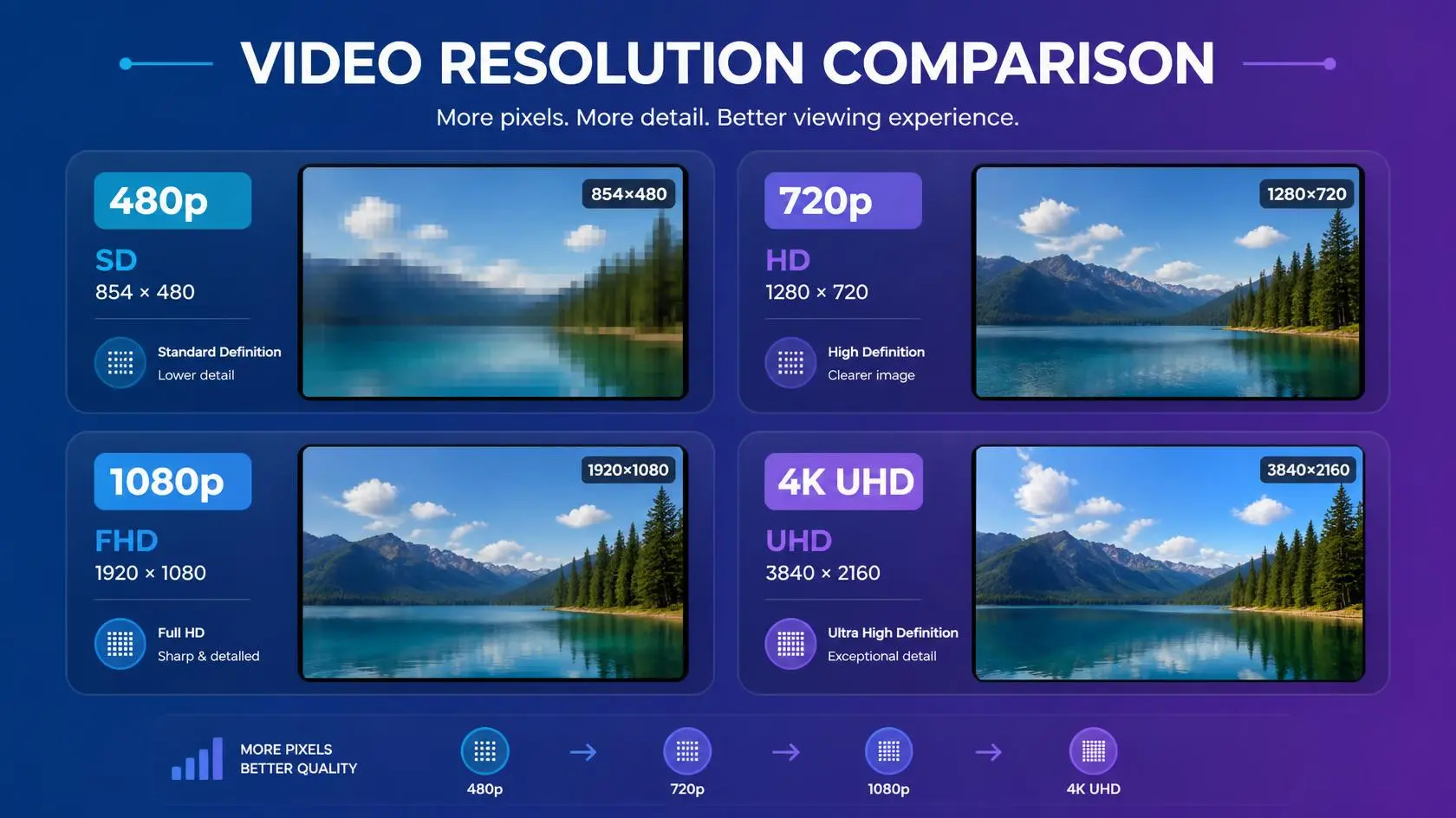
So, what is 4K streaming? It is the delivery of video at approximately 4K or Ultra HD resolution through an internet connection rather than from a physical disc or download. For consumer video, 4K usually means 3840 × 2160 pixels, four times as many as 1920 × 1080 Full HD.
That higher pixel count can produce a noticeably sharper image, particularly on larger screens or when you are close enough to see the extra detail. The table below shows how 4K compares with other common formats. The differences add up quickly once you compare pixel counts side by side.
4K Compared With Other Common Resolutions
| Format | Typical resolution | Approximate pixel count |
|---|---|---|
| 480p | 854 × 480 | 0.41 million |
| 720p HD | 1280 × 720 | 0.92 million |
| 1080p Full HD | 1920 × 1080 | 2.07 million |
| 4K UHD | 3840 × 2160 | 8.29 million |
Exact dimensions can vary slightly between services and devices, but the comparison shows why 4K carries far more image data than Full HD. YouTube’s documentation lists 4K UHD as 3840 × 2160 and provides service-specific playback requirements for UHD video.
What Makes 4K Different?
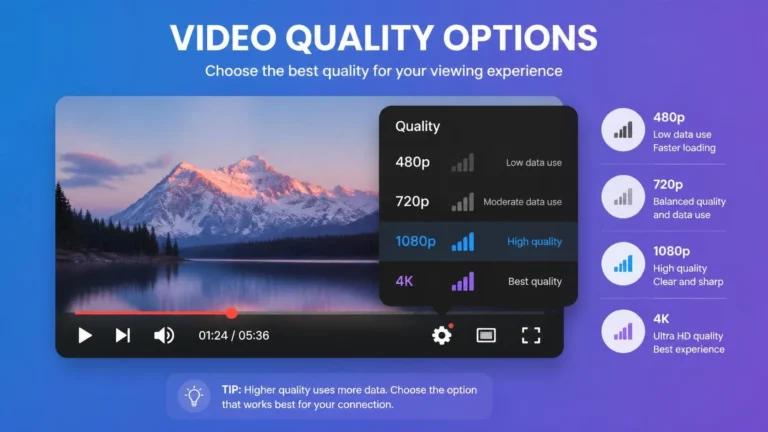
Resolution is the headline feature, but it is not the only thing shaping the picture you see. A 4K stream can also vary by bitrate, codec, frame rate, color depth, HDR support, and compression. Two videos can carry the exact same “4K” label and still look completely different.
A well-encoded 4K source with a generous bitrate can look dramatically better than a heavily compressed file that technically reaches 3840 × 2160 resolution. The label tells you the pixel count, not the quality of what is inside it.
A 4K TV Does Not Make Everything 4K
This is one of the most important things to understand before buying a 4K television. Having a 4K display means the screen has enough pixels to show 4K content, but it will not automatically turn a lower-resolution video into native 4K.
If a service sends a 1080p stream, your TV upscales that image to fill the 4K panel. Upscaling can make the picture fit the screen better, but it is not the same as receiving true native 4K source material. That distinction matters when you are comparing streaming plans or content libraries.
What Do You Need for 4K Streaming?
Getting 4K to actually play depends on several things lining up together: a 4K-capable display, a title that is genuinely available in 4K, and, if you are using an external streaming box or stick, a device that supports the required output resolution. Your subscription plan matters too, since some services restrict 4K to higher-tier plans.
On top of that, your connection needs to deliver the stream consistently, not just occasionally. Exact requirements vary from service to service, so it is worth checking the specific platform rather than assuming one universal standard applies.
If you are comparing the network side of streaming, our guide to what internet speed you need for streaming explains why advertised plan speed and actual playback conditions are not always the same.
How Much Internet Speed Does 4K Need?
There is no single bandwidth number that applies to every 4K service, since bitrate and compression vary. Netflix recommends a stable connection of at least 15 Mbps for Ultra HD, while YouTube recommends 20 Mbps of sustained speed for 4K UHD playback. These are service-specific recommendations, not a universal definition of what 4K technically requires. A household also needs to account for everything else happening on the network at the same time.
For a broader explanation of the technology behind changing streaming quality, see what adaptive bitrate streaming is.
Why 4K Can Use More Data
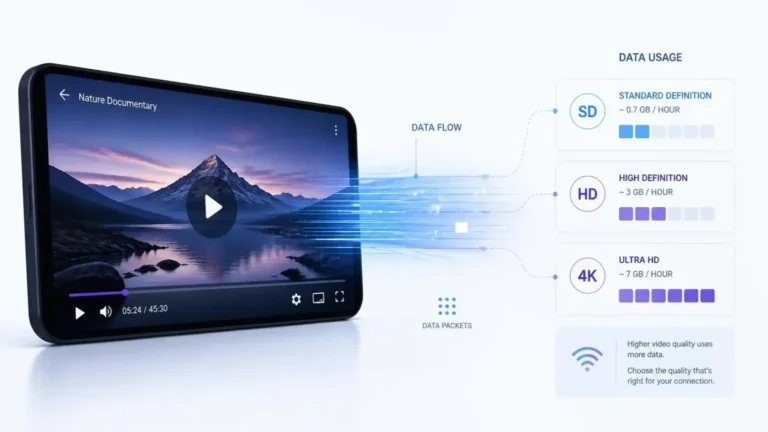
A 4K frame holds far more pixel data than a 1080p frame, which is the basic reason 4K streams tend to use more bandwidth. That does not mean a 4K stream always uses exactly four times the data of HD, though, since compression technology and encoding settings change how much actually gets sent. Even so, 4K streams commonly use higher bitrates than their lower-resolution counterparts.
Netflix, for example, lists Ultra HD at up to 7 GB of data per hour under its high-data-use setting, compared with up to 3 GB per hour for HD. Actual usage can vary depending on the title and how it was encoded.
Is 4K Worth It on Every Screen?
Not always. How much 4K actually helps depends on screen size, viewing distance, source quality, and how well you personally notice the extra detail. A large television viewed from a reasonable distance can make the added resolution easier to appreciate.
On a smaller screen, or from farther away, the difference between 1080p and 4K can be much less obvious. There is no universal rule that says every viewer needs 4K to enjoy what they are watching.
4K and HDR Are Not the Same Thing
These two terms get used together so often that people assume they are the same feature, but they describe different things. 4K is about resolution, meaning how many pixels make up the image. HDR, or High Dynamic Range, is about how a compatible system represents brightness, contrast, and color.
A video can be 4K without HDR, HDR without being 4K, or both at once. A title carrying both labels offers higher resolution and a wider range of brightness and color, but the two technologies are not interchangeable and should not be treated as one feature.
For a separate explanation of the second technology, see what HDR streaming is.
Why 4K Quality Can Look Different Between Services
A 4K label tells you the resolution, not every detail of how the video was encoded. Services can use different codecs, bitrates, encoding profiles, frame rates, color formats, and compression settings, and the source material itself matters just as much.
A professionally produced 4K master can hold far more real detail than a low-quality source that is simply stretched up to 4K dimensions. That is why resolution is best treated as one part of overall picture quality, not the whole measure.
What Is 4K Streaming on a Computer?
When considering what is 4K streaming on a computer, the basic definition stays the same, but playback requirements can become more complicated. A computer can display 4K video if the screen, operating system, browser or app, graphics hardware, and streaming service all support what is needed, and compatibility varies quite a bit by service.
Netflix, for example, documents separate Ultra HD requirements for Windows computers covering the operating system, browser or app, subscription plan, device capabilities, and a steady connection of at least 15 Mbps. Simply owning a 4K monitor does not guarantee that you will actually get 4K playback from every service you use.
What Is 4K Streaming on Mobile Devices?
When people ask what is 4K streaming on a phone or tablet, the answer involves the same Ultra HD concept, but the experience differs from a large television. Display size, screen resolution, battery settings, mobile data restrictions, app support, and device hardware can all affect what you actually get.
A service may also cap the available quality depending on your specific device or connection. If you are trying to watch 4K on mobile, check that service’s actual requirements rather than assuming your screen’s resolution alone determines playback quality.
Why a 4K Stream May Fall Back to Lower Quality
Even a fully 4K-capable setup can end up playing a lower-quality stream, and there are several reasons that can happen. The title might not be available in 4K, your subscription might not include it, or your device or app might not meet the service’s requirements.
The connection might not be stable enough at that moment, the service might be temporarily adjusting playback quality on its own, or there may be a compatibility limit somewhere in the display or connection path. Netflix, for instance, explains that many factors can affect streaming quality and recommends a stable connection for Ultra HD playback.
This is also where adaptive streaming becomes relevant. A player can change the representation it requests when conditions change, so a capable setup may temporarily receive a lower-quality version rather than maintaining the highest available representation at all times.
How to Check Whether You Are Actually Watching 4K
Do not rely only on your TV being labelled “4K” as proof that you are watching 4K content. Check the playback information the streaming service actually provides instead.
Depending on the platform, that might show up as a 4K or UHD label on the title itself, playback quality details, resolution information, or a dedicated stats screen. YouTube provides playback and quality information through its player and troubleshooting tools, while Netflix identifies compatible titles with UHD or 4K-related labels.
If a service is showing 1080p while your television is a 4K model, the display itself usually is not the first thing to blame. The title, plan, app, device, connection, and service-specific requirements should also be checked.
4K Does Not Automatically Mean Better Content
Higher resolution can add visible detail, but it does not decide whether the content itself is actually good. A well-produced 1080p video can easily look better than a poorly encoded 4K one.
The final result depends on the source, the encoding, your display, your viewing environment, and a handful of other image characteristics working together. That is why it helps to think of resolution as separate from overall picture quality, not a stand-in for it.
A Practical 4K Checklist
Before expecting full 4K playback, it helps to check each link in the chain.
- Is the title actually available in 4K?
- Does your plan include 4K?
- Does your device support 4K playback?
- Does the display support the required resolution?
- Is the app or browser compatible?
- Does your connection meet the service’s recommendation?
- Are other devices on the network using significant bandwidth?
- Does the service actually show 4K or UHD during playback?
A problem in any single one of these areas is enough to stop the expected quality from showing up.
Frequently Asked Questions
What is 4K streaming in simple terms?
What is 4K streaming in simple terms? It is the delivery of Ultra HD video over the internet, typically at 3840 × 2160 resolution for consumer displays.
Is 4K the same as Ultra HD?
The terms get used interchangeably in most consumer streaming contexts, though technical definitions can vary slightly. Consumer 4K UHD commonly refers to that same 3840 × 2160 resolution.
Does a 4K TV require 4K content?
No. A 4K TV can display lower-resolution content through scaling, but scaling does not turn the original source into native 4K.
Does 4K use more internet data?
Generally, yes. 4K streams commonly use more data than lower-resolution streams, though the exact amount depends on encoding and bitrate.
Can you watch 4K without HDR?
Yes. Resolution and HDR are separate characteristics, and a 4K video does not automatically come with HDR attached.
The Main Point
So, what is 4K streaming in practice? It comes down to delivering Ultra HD video through an internet connection, and resolution is only one part of the full experience.
To actually get 4K, the content, your subscription, your streaming device, your display, your app, and your network all need to line up and support what is required. Even then, the quality of the original source and how it was encoded shapes how good the final picture actually looks. A “4K” label tells you something real about resolution, but it does not tell the whole story about streaming picture quality.